

Playwriter
Empower your agents to control Chrome effortlessly with Playwriter, leveraging your existing session without the hassle of headless instances.
AI tool Details
Explore More
Alternatives

About Playwriter
Playwriter is a transformative tool designed to empower AI agents by providing them with a seamless way to interact with your actual browser. Unlike traditional AI agents that struggle with web browsing due to limitations like fresh sessions or restricted tools, Playwriter allows agents to operate within your existing Chrome session, complete with all your logins, extensions, and cookies. This innovative solution enables full automation through a single API, streamlining the way AI interacts with web content. Whether you are a developer, data analyst, or automation enthusiast, Playwriter enhances your workflow by minimizing manual tasks and maximizing efficiency. By leveraging Playwriter's capabilities, you can eliminate repetitive browsing tasks, focus on critical decision-making, and achieve more in less time. The open-source nature of Playwriter, licensed under MIT, encourages collaboration and innovation, making it an ideal choice for those looking to harness the power of AI in their daily operations.
Features
Real Browser Session
Playwriter connects your AI agents to your actual Chrome browser, allowing them to utilize all your existing logins, extensions, and cookies. This means no more bot detection issues or memory overhead from spawning new browser instances, leading to a smoother, more reliable browsing experience.
Comprehensive Automation API
With Playwriter, agents have access to the full Playwright API through a single execute tool. This eliminates the need for complex wrappers and reduces context switching, enabling faster and more efficient automation of web tasks.
Collaboration in Real Time
One of the standout features of Playwriter is its collaboration capability. You can monitor the actions of your AI agent in real time, allowing for immediate human intervention when needed, such as solving captchas or navigating consent walls, ensuring seamless task completion.
Advanced Debugging Tools
Playwriter includes a powerful debugger with breakpoints and live code editing, along with network interception capabilities. This feature allows you to analyze and fine-tune your automation scripts effectively, ensuring that your agents perform optimally without unnecessary disruptions.
Use Cases
Automated Testing
Playwriter can be utilized for automated testing of web applications, allowing developers to simulate user interactions within their actual browser environment. This ensures accurate results and helps in identifying potential issues before deployment.
Data Scraping
For data analysts, Playwriter simplifies the process of web scraping by automating data collection from various websites. With access to your existing browser session, agents can navigate complex pages, handle logins, and extract data efficiently.
Content Monitoring
Marketers can leverage Playwriter to automate content monitoring across various platforms. By using AI agents to track changes or updates, you can stay informed about competitor activities or industry trends without manual effort.
User Experience Testing
Playwriter is ideal for user experience testing, allowing teams to observe how users interact with their websites. By enabling AI agents to perform exploratory testing, you can gather valuable insights to enhance user satisfaction and engagement.
Frequently Asked Questions
How does Playwriter ensure security while using my browser?
Playwriter operates entirely on your local machine, with no external servers or accounts required. This means that your data and browsing activities remain secure and private, with all connections established through a local WebSocket relay.
Can I use Playwriter with other automation tools?
Yes, Playwriter is compatible with various MCP clients such as Cursor, Claude, and VS Code. This flexibility allows you to integrate it into your existing workflows seamlessly.
What are the system requirements for using Playwriter?
To use Playwriter, you need to have Google Chrome installed along with Node.js for the CLI. The setup process is straightforward, allowing users to get started quickly without complex configurations.
Is Playwriter suitable for beginners?
Absolutely! Playwriter is designed to be user-friendly and accessible. With clear installation instructions and a skill installation process to guide your agent, beginners can easily navigate the setup and start leveraging its capabilities.
Similar to Playwriter
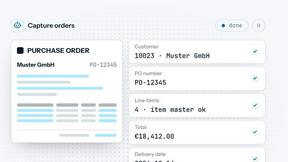

JevModel
Run Choice, Score and Noul decisions on text or JSON. Build visual flows, process batches and integrate results through an API.
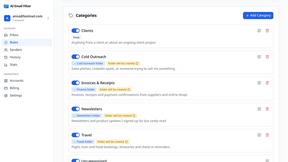
AI Email Filter
AI Email Filter sorts incoming mail into folders using plain-language prompts you write. Works with any IMAP mailbox; bring your own LLM if you want.

amaze.directory
Hand-checked AI tools with real pricing on the card and no paid ranks.

benchmark.directory
An AI tools directory that turns down money. 146 listings, 20 categories, no sponsored placement and no affiliate ordering.

saasgrow.ai
Screened, scored, categorised. saasgrow.ai lists SaaS growth tools on merit — never on who paid the most for the slot.

Tools Network
Tools Network is a curated directory of the best AI tools across 25+ categories. Compare ratings, pricing, and features to find the right one, fast.