Pinssaver
Effortlessly download Pinterest videos, images, and GIFs in HD or 4K to keep your inspirations alive forever.

About Pinssaver
Pinssaver is your ultimate companion for harnessing the vast creative potential of Pinterest. As a powerful, free, and multi-language online tool, it revolutionizes the way you interact with visual inspiration. Pinterest is a treasure trove of ideas, from stunning travel videos and DIY tutorials to delicious recipes and innovative design concepts. However, Pinterest often limits your ability to keep and expand on this inspiration. Pinssaver breaks down those barriers, empowering you to download videos, images, and GIFs directly to your device in breathtaking HD, 2K, or 4K quality—quickly, safely, and without disruptive watermarks. Designed for creators, dreamers, and organizers, Pinssaver's intuitive interface makes the downloading process effortless and enjoyable. It transforms fleeting ideas into tangible assets for your projects, mood boards, and personal archives, allowing you to save, organize, and revisit your favorite content anytime, anywhere—even offline. With Pinssaver, you are not just saving content; you are claiming your inspiration and taking control of your creative journey.
Features
High-Quality Downloads
Pinssaver allows users to download Pinterest videos, GIFs, and images in exceptional quality, including HD, 2K, and 4K options. This feature ensures that every visual inspiration is preserved in stunning detail, enhancing your creative projects and personal collections.
User-Friendly Interface
Designed with a modern and minimalist approach, Pinssaver provides an effortless user experience. Its intuitive interface allows anyone to easily paste a link, click download, and receive their content in seconds, making it accessible even for first-time users.
Cross-Device Compatibility
Whether you are using a smartphone, tablet, or desktop, Pinssaver works seamlessly across all major devices and browsers. This cross-device support ensures that you can download and enjoy your favorite Pinterest content from anywhere, at any time.
Privacy and Security
Pinssaver prioritizes user privacy by not requiring accounts, login details, or tracking of usage. You can download content worry-free, knowing that your data remains secure and your creative process stays private.
Use Cases
Collecting Design Inspiration
Graphic designers and artists can leverage Pinssaver to gather design ideas and references efficiently. Saving high-quality images and videos from Pinterest allows them to create mood boards and reference materials that inspire their projects.
Curating Recipes and Tutorials
Food enthusiasts and home cooks can use Pinssaver to download recipe videos and cooking tutorials. This feature enables them to create a personal archive of culinary inspiration that they can reference anytime, whether they are online or offline.
Storing Travel Clips
Travel creators can easily save destination videos and visual stories with Pinssaver. By downloading travel clips, they can curate their own collection of inspiring visuals that motivate their next adventure and serve as reminders of past journeys.
Organizing DIY Projects
DIY crafters can benefit from Pinssaver by downloading step-by-step guides and tutorials. This capability allows them to keep all their project inspirations neatly organized, making it easy to revisit ideas and execute their creative projects.
Frequently Asked Questions
How do I download videos from Pinterest using Pinssaver?
To download videos, simply open Pinterest and find the video you want. Tap “Share,” select “Copy link,” then go to PinsSaver.com, paste the link into the provided box, and click “Download.” Choose your preferred quality, and your video will be saved to your device.
Is Pinssaver free to use?
Yes, Pinssaver is completely free to use with no hidden fees or subscriptions. You can download as much content as you want without any cost.
What devices can I use Pinssaver on?
Pinssaver is compatible with all major devices, including Android and iOS smartphones, Windows and Mac desktops, and tablets of all sizes. You can access it from any device with a web browser.
Is my data safe when using Pinssaver?
Absolutely. Pinssaver does not store any personal data, require login information, or track user activity. Your privacy is a top priority, allowing you to download content securely and confidently.
Similar to Pinssaver
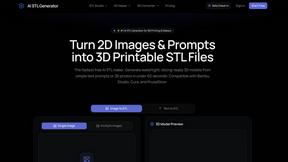
AI STL Generator
The fastest AI STL generator to turn prompts and images into 3D printable STL files.

AIEnhancer
Enhance photos, create images, and generate videos with an all-in-one AI enhancer for flexible creative workflows.

AudioVideo
Turn podcasts, narration, voice recordings, or music into visual content with an audio-aware AI video generator.

Motiofy
Motiofy is an AI creative workspace that helps creators and teams turn ideas into polished visual stories.

VidRush AI
AI-powered long video generator. Create multi-modal AI videos by combining images, video, audio, and text.