

Opal
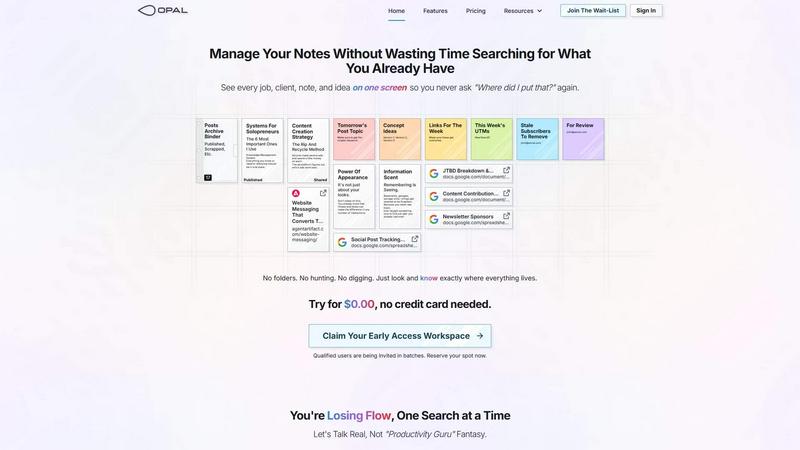
Opal organizes all your projects and notes in one visual workspace so you find anything instantly and reclaim your creative flow.
AI tool Details
Explore More
Alternatives
About Opal
Opal is the visual command center for your mind and your business. It is a revolutionary knowledge and project management workspace built for people who think in images, connections, and spatial relationships—not just lists and folders. If you're a solopreneur, consultant, agency owner, writer, or creative whose success depends on remembering client details, project nuances, and fleeting ideas, traditional tools are failing you. They bury your work in nested folders and dashboards, forcing you to search for what you already know. This constant hunting breaks your flow, bleeds time, and kills deals. Opal solves this with an infinite digital canvas where you drag and drop notes, documents, files, and links, organizing them visually just like you would on a physical desk. This taps into your brain's powerful spatial memory: you remember where things are, not just what they're called. The result is instant retrieval, zero frustration, and a workspace where your entire world of active projects, client conversations, and creative sparks stays visible and top-of-mind. Opal isn't about filing information; it's about placing it in your world, so you can stop managing your tools and start doing your best work.
Features
The Infinite Visual Canvas
Opal provides a boundless digital workspace that mimics the freedom of a physical desk or whiteboard. This is not another confined dashboard. You have infinite space to spread out every active element of your business—client notes, project briefs, reference links, and to-do lists—and arrange them spatially. Group related items, create zones for different projects, and build a living map of your work that your brain intuitively understands and remembers, eliminating the need for complex folder hierarchies.
Spatial Memory & Visual Organization
This is the core cognitive principle behind Opal. Instead of forcing you to remember filenames or tags, Opal leverages your brain's innate ability to remember the location of objects. By placing a client quote in the top-right corner or stacking content ideas near your strategy doc, you create a visual memory anchor. This means you find information by remembering its place on your canvas, making retrieval instantaneous and freeing your mental energy for actual creative and strategic work.
Drag-and-Drop Everything
Opal is built for seamless, intuitive interaction. You can drag and drop text notes, embedded website links, uploaded files, and images directly onto your canvas. There are no complex forms or rigid structures to navigate. Simply pull items where you need them, stack them for priority, or group them by context. This fluidity keeps you in a state of flow, allowing you to organize your thoughts as quickly as they come, without breaking your concentration to file something away.
Side-by-Side Context Viewing
Stop tab-switching and context-shifting. Opal allows you to open multiple notes, documents, or links side-by-side, limited only by your screen's real estate. Compare client feedback with your project brief, reference an SOP while writing a task list, or brainstorm ideas while viewing your content calendar—all simultaneously. This feature ensures all relevant information is in your field of view, supporting deep work and informed decision-making without the distracting hunt for buried data.
Use Cases
Client & Project Management for Solopreneurs
Manage all client interactions, project details, and deliverables in one visual space. Create a dedicated zone for each client where you can place meeting notes, contract links, project briefs, and to-do lists. Visually see the status of every project at a glance, remember specific conversation details based on where you placed them, and ensure nothing slips through the cracks because it's all literally in front of you.
Content Planning & Creative Ideation
Break free from linear documents for your content strategy. Use the canvas to brainstorm and map out content pillars, cluster topic ideas, and place drafts alongside research links and keyword targets. Visually track content stages from "Idea" to "Published" by moving notes across your canvas. This spatial method helps writers and creators see connections, repurpose ideas, and maintain a holistic view of their editorial calendar.
Agency Workflow & Process Systems
Keep your agency's repeatable processes and active campaigns visible and accessible. Place SOP documents, campaign tracking sheets, creative assets, and client communication logs on a shared or personal canvas. New team members can visually understand workflows, and veterans can find critical information instantly by its location, reducing onboarding time and preventing errors from lost information.
Consultancy & Knowledge Management
Consultants live on insights and client-specific details. Opal becomes your central brain: a place to store interview notes, research findings, strategy frameworks, and proposal templates. Organize knowledge spatially by client, industry, or methodology. When preparing for a client meeting, everything you need is already laid out in the context you created, making you sharper and more prepared without last-minute searches.
Pricing
Opal offers a free trial to start, requiring no credit card. You can register immediately to claim your Early Access workspace URL and begin transforming your workflow at no initial cost. This allows you to fully experience the spatial memory advantage and integrate Opal into your daily process before any financial commitment. For detailed information on premium plans, tiers, and features beyond the trial, please visit the official Opal website's pricing page after registration.
Frequently Asked Questions
How is Opal different from tools like Notion or Google Docs?
Opal is fundamentally different in its philosophy. Tools like Notion and Google Docs are built for filing information into databases, pages, and nested folders, which requires you to remember naming conventions or search. Opal is built for placing information on a spatial canvas, leveraging your brain's natural memory for location. It's about seeing and remembering, not searching and recalling. It's designed for the active, visual thinker managing fluid projects.
Is Opal suitable for team collaboration?
While Opal's core strength is empowering individual visual thinking and workflow, the ability to share canvases or specific workspaces makes it excellent for small team collaboration, especially in agencies or small partnerships. Teams can co-organize project materials, reference shared systems, and maintain a single source of truth that's visually intuitive for everyone involved, reducing miscommunication.
Can I import my existing notes and documents into Opal?
Yes, Opal is designed to work with the assets you already have. You can easily drag and drop files from your computer, paste links to Google Docs, Sheets, or other web-based resources, and create notes directly on the canvas. It acts as a visual aggregation layer for all your critical work, bringing disparate pieces together into one coherent, memorable landscape.
What if my canvas gets too cluttered?
The infinite canvas is designed to prevent clutter by giving you ample space to organize. However, Opal's power comes from intentional visual organization. You can create distinct zones for different areas of work (e.g., "Active Projects," "Reference," "Ideas"). The spatial memory effect works best when you consciously place items, making a cluttered canvas a cue to reorganize and refine your system, which is a quick and intuitive process.
Similar to Opal
Novastart
Apps and files on an infinite canvas where people and AI agents work together.
My Tools Suite Pro
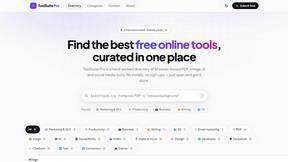
MyToolsSuitePro is a curated directory of free online tools for productivity, writing, marketing, SEO, 3D, email marketing, and everyday digital tas

Panzoe
Panzoe is an all-in-one AI platform for personal productivity, business automation, AI assistants, content creation, and custom AI solutions.

AUTOMATER.ai
A tray helper for every AI coding tool: sessions, alerts and usage in one place
JevModel
Run Choice, Score and Noul decisions on text or JSON. Build visual flows, process batches and integrate results through an API.
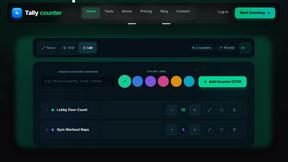
Tally Counter
Online tally counter for tracking attendance, workouts, inventory, visitors, sports scores, habits, and everyday counting tasks.
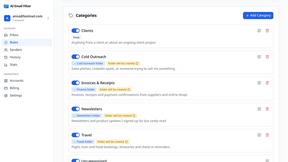
AI Email Filter
AI Email Filter sorts incoming mail into folders using plain-language prompts you write. Works with any IMAP mailbox; bring your own LLM if you want.
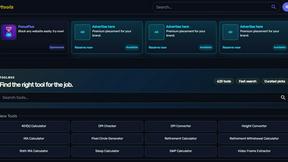
Kody Tools
Free collection of online developer utilities, code formatters, and digital converters designed to streamline your daily workflow.