NanoBanana 2
Transform your photos with NanoBanana 2, the next-gen AI tool for stunning edits and professional-quality enhancements.
AI tool Details
Explore More
Alternatives
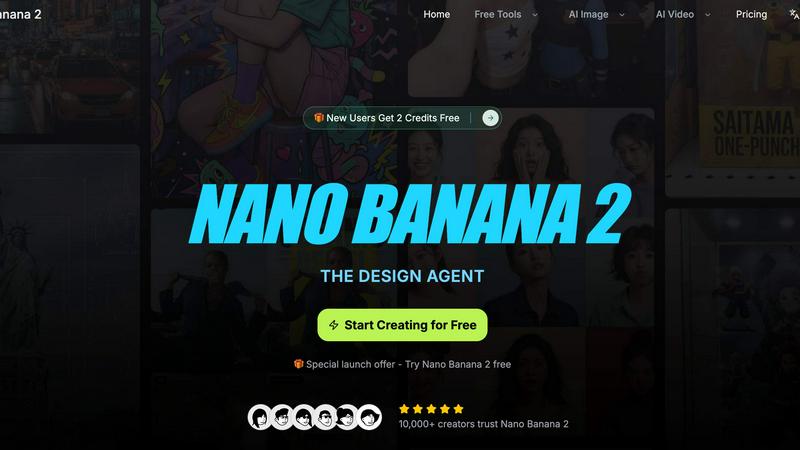
About NanoBanana 2
NanoBanana 2 is an innovative AI image editing model that elevates photo enhancement to new heights. Building on the foundation set by the original Nano Banana, this next-generation tool integrates advanced machine learning algorithms to deliver unparalleled image processing capabilities. It is designed for photographers, graphic designers, and content creators who demand top-quality results with efficiency and precision. NanoBanana 2 empowers users to effortlessly transform their images, providing intelligent enhancements and professional-grade retouching features. With its intuitive interface and smart processing capabilities, this advanced tool streamlines workflows, saves valuable time, and helps unleash creativity, making it an essential asset for anyone serious about image editing.
Features
Smart Auto-Enhancement
This feature intelligently examines each image and applies optimal enhancements automatically. By leveraging deep learning technology, NanoBanana 2 ensures that every photo receives the perfect adjustments in brightness, contrast, and sharpness, allowing users to achieve stunning results without manual effort.
Advanced Color Correction
Experience professional-grade color grading and correction powered by cutting-edge algorithms. NanoBanana 2 analyzes the color profiles of images and enhances them to achieve vibrant, true-to-life colors. Whether you are correcting skin tones or adjusting landscapes, this feature enhances visual appeal while preserving the image's integrity.
Noise Reduction AI
Eliminate unwanted noise from your images while maintaining fine details with advanced denoising technology. NanoBanana 2 utilizes sophisticated algorithms to distinguish between noise and essential image elements, ensuring your photos remain crisp and clear, even in low-light conditions.
Batch Processing
Maximize productivity with efficient batch editing capabilities that allow users to process multiple images simultaneously. This feature is particularly beneficial for photographers and content creators who need to edit large volumes of images quickly without sacrificing quality, streamlining workflows significantly.
Use Cases
Portrait Photography
Photographers can utilize NanoBanana 2's specialized portrait mode to achieve natural skin retouching and enhance facial features. This feature ensures that portraits look polished yet authentic, allowing photographers to deliver exceptional results to their clients.
Social Media Content Creation
Content creators can leverage NanoBanana 2 to enhance images for social media platforms. With its advanced auto-enhancement and color correction features, users can create eye-catching visuals that stand out in crowded feeds, driving engagement and boosting brand visibility.
E-commerce Product Photography
Sellers can utilize NanoBanana 2 to enhance product images for online listings. By applying noise reduction and color correction, e-commerce businesses can present their products in the best light, increasing the likelihood of conversions and sales.
Event Photography
Event photographers can benefit from NanoBanana 2's batch processing capabilities, allowing them to efficiently edit large sets of images after weddings, parties, or corporate events. The time saved can be redirected toward delivering high-quality results to clients swiftly.
Frequently Asked Questions
What formats does NanoBanana 2 support for image uploads?
NanoBanana 2 supports all major image formats, including JPEG, PNG, and WEBP, making it easy for users to upload and edit their photos without compatibility concerns.
Is there a free trial available for NanoBanana 2?
Yes, NanoBanana 2 offers a special launch offer that allows users to try the tool for free. This enables potential users to explore its features and capabilities before committing to a paid plan.
How does the AI processing work in NanoBanana 2?
The AI processing in NanoBanana 2 involves advanced machine learning algorithms that analyze images for context and elements needing enhancement. The tool then applies optimal adjustments to deliver professional-quality results efficiently.
Can I export images in high resolution?
Absolutely! NanoBanana 2 allows users to export their enhanced images in high resolution, ensuring that the final output maintains the quality needed for printing or online sharing.
Similar to NanoBanana 2
GenX
All-in-one AI workspace to generate images, videos, and audio with multiple leading AI models.

Bloom
An adaptive AI tutor that turns topics or your materials into courses, lessons, and answers tailored to how you learn.
FreeVideoGenerator
Free AI video generator to turn text prompts and photos into clips, with free starter credits and no-watermark downloads.
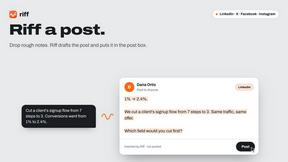
Riff
Free Chrome extension. Paste your rough point and Chrome's built-in AI writes a fresh reply for that post on X, LinkedIn, Facebook or Instagram.
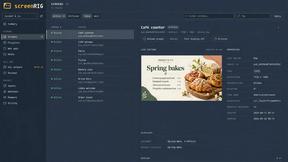
screenRIG
Signage and kiosk infrastructure for AI agents. Your agent publishes images, video, streams, web pages and apps to screens via one plugin.screenRIG is

AUTOMATER.ai
A tray helper for every AI coding tool: sessions, alerts and usage in one place
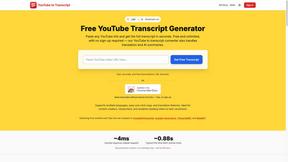
GetYouTubeTranscript
Free YouTube transcripts on the web, a Chrome extension, and an API + MCP server so AI assistants can read YouTube.