

Nani
Nani empowers your creativity by simplifying AI image generation with organized, reusable prompts and seamless.
AI tool Details
Explore More
Alternatives

About Nani
Nani is an innovative workflow tool specifically designed to elevate the AI image generation experience for individuals engaged in regular and repetitive creative tasks. Unlike many existing AI image platforms that focus on one-off creations, Nani streamlines the entire process, making it easier for users to generate images without the hassle of rewriting prompts or sorting through endless feeds of images. Built on the groundbreaking Google Nano Banana Pro (Gemini), Nani offers a robust solution for artists, designers, and content creators looking to supercharge their creative processes. With a user-friendly interface, Nani allows for rapid image generation while its unique features, such as reusable prompt sets and organized folders, help maintain consistency and efficiency. By utilizing Nani, users can devote more time to their creativity and less time managing administrative tasks related to image generation, transforming their workflow and enhancing productivity.
Features
Effortless Image Generation
With Nani, creating stunning images is as simple as typing a prompt and clicking generate. The platform supports customizable aspect ratios and resolutions, ensuring that users can produce high-quality images in seconds without any visible watermark.
Reusable Prompt Sets
Nani allows users to group images and save prompts as reusable sets. This feature ensures that characters, styles, and workflows remain consistent, making it easy to recreate successful designs and maintain a cohesive aesthetic across various projects.
Organized Workflow Management
Users can create folders, filter by favorites, and bulk-select images to keep their libraries organized and tidy. This feature is essential for those working on multiple projects simultaneously, as it allows for efficient management of resources and quick access to important assets.
Seamless Collaboration and Sharing
Nani facilitates collaboration by allowing users to drag and drop images as references and share their creations through public links. This feature not only enhances the collaborative experience but also enables others to recreate work in their own accounts, fostering a community of creativity.
Use Cases
Graphic Designers
Graphic designers can leverage Nani to streamline their design process, using reusable prompt sets to maintain consistency across branding elements and promotional materials while significantly reducing the time spent on image generation.
Content Creators
Content creators can utilize Nani to quickly generate images for social media posts, blogs, and other digital content. The platform's simplicity and efficiency allow them to focus on crafting compelling narratives while supporting their visuals seamlessly.
Artists
Artists can benefit from Nani by using the tool to create concept art and illustrations. The organized workflow management system allows them to keep track of various artworks, making it easier to reference and build upon previous creations.
Marketing Professionals
Marketing professionals can use Nani to produce eye-catching visuals for campaigns and advertisements. By grouping images and saving prompts, they can ensure that all marketing materials align with the desired brand image and messaging.
Frequently Asked Questions
What kind of users can benefit from Nani?
Nani is ideal for artists, designers, content creators, and marketing professionals who require a streamlined solution for AI image generation, especially for repetitive tasks.
How does the pricing work for Nani?
Nani operates on a credit-based system, allowing users to pay only for what they generate. There are no subscriptions or commitments, and users can start with 5 free credits to explore the platform.
Can I collaborate with others using Nani?
Yes, Nani facilitates collaboration by enabling users to share creations through public links and allowing others to recreate work in their own accounts, enhancing the creative community.
Is there a learning curve to using Nani?
Nani is designed with a simple and intuitive interface that minimizes the learning curve. Users can start creating immediately without needing extensive training or experience.
Similar to Nani
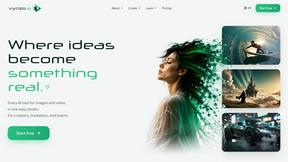
Vynzo
AI image and video studio. Generate from a prompt, animate stills, swap faces, restyle clips and edit — one credit pool, no subscription.
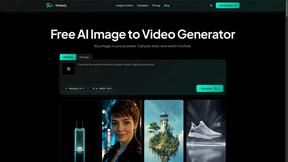
Motiofy
Motiofy is an AI creative workspace that helps creators and teams turn ideas into polished visual stories.
Speechyou
AI transcription for voice notes, meetings, and audio files in 1,700 languages, with AI summaries and subtitle export and unlimited chat ai usage.
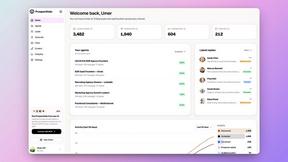
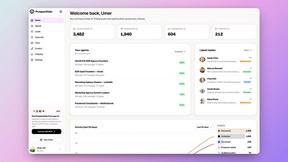
ProspectHalo
AI sales agent that finds qualified leads, runs outreach, follows up automatically, creates content, and helps book more meetings.
benchmark.directory
An AI tools directory that turns down money. 146 listings, 20 categories, no sponsored placement and no affiliate ordering.
saasgrow.ai
Screened, scored, categorised. saasgrow.ai lists SaaS growth tools on merit — never on who paid the most for the slot.
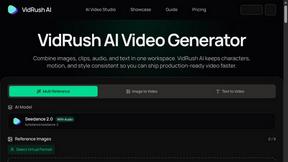
VidRush AI
AI-powered long video generator. Create multi-modal AI videos by combining images, video, audio, and text.
Tools Network
Tools Network is a curated directory of the best AI tools across 25+ categories. Compare ratings, pricing, and features to find the right one, fast.