

MeetingMind
Transform meetings into private, searchable notes with automatic AI transcription and summaries.
AI tool Details
Alternatives
About MeetingMind
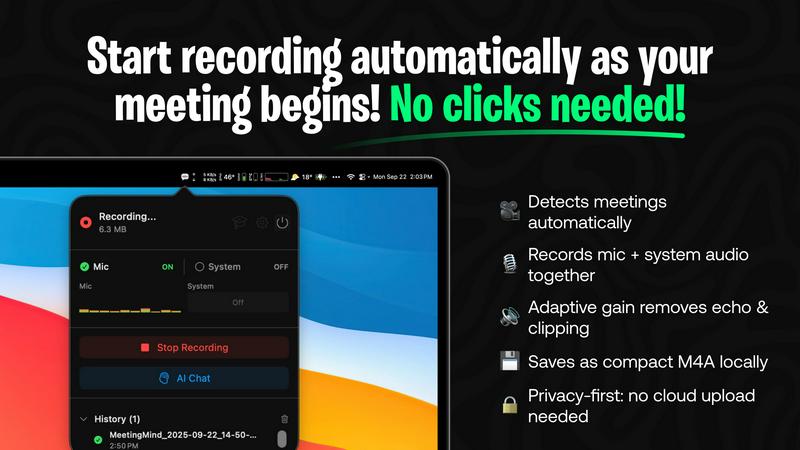
MeetingMind is your definitive leap from being a passive attendee to becoming a fully engaged, strategic leader in every conversation. It is an intelligent, AI-powered meeting assistant designed exclusively for macOS that transforms the chaos of Zoom meetings into a powerful asset. By automatically detecting and recording your meetings, it captures every word, nuance, and decision with perfect clarity. But MeetingMind goes far beyond simple recording. It leverages advanced AI to generate intelligent transcriptions, concise summaries, and clear action items, turning hours of dialogue into immediately usable, searchable intelligence. This tool is built for the modern professional: the busy executive, the remote team collaborator, the meticulous project manager, and anyone who refuses to let critical insights slip through the cracks. Its core promise is profound: reclaim your mental presence and intellectual energy. Stop being a scribe and start being a contributor. With MeetingMind working seamlessly in the background, you can listen actively, engage deeply, and lead confidently, knowing a perfect, AI-enhanced record is being created. Crucially, with its on-device AI processing, all your sensitive discussions remain 100% private on your Mac. MeetingMind empowers you to move from meeting to execution with unprecedented speed and clarity, ensuring no brilliant idea or crucial task is ever forgotten again.
Features
Fully Automatic Zoom Detection
MeetingMind intelligently monitors your system and automatically detects when you join a Zoom meeting, starting the recording process without a single click from you. This seamless integration means you can focus entirely on the conversation at hand, with the absolute confidence that every detail is being captured from the very first minute. It eliminates manual triggers and the fear of forgetting to hit record, making flawless meeting documentation an effortless standard.
Dual Audio Capture with Adaptive Gain
This feature ensures crystal-clear audio quality by simultaneously recording both your microphone (for your contributions) and your system audio (for other participants and shared media). The adaptive gain technology intelligently balances audio levels in real-time, preventing loud volumes from peaking and soft speakers from being inaudible. The result is a professional-grade, balanced recording where every participant's voice is captured with perfect clarity.
Private, On-Device AI Processing
Your confidentiality is paramount. MeetingMind processes all audio, transcription, and AI summarization locally on your Mac. Your sensitive meeting conversations, proprietary discussions, and personal data never leave your device or get sent to the cloud. This commitment to 100% privacy gives you peace of mind, allowing you to use the tool for all your meetings without any security or compliance concerns.
Intelligent AI Summaries & Markdown Export
After your meeting, MeetingMind's AI assistant gets to work. Using your choice of local (Ollama) or cloud (OpenRouter) AI models, it analyzes the transcript to generate a concise summary, extract key decisions, and identify clear action items. These insights are then formatted into beautifully structured Markdown files, ready to be saved, shared, or integrated into your project management tools, turning conversation into immediate, organized action.
Use Cases
For Project Managers & Team Leads
Keep complex projects moving forward without missing a beat. Automatically capture detailed discussions from sprint planning, stand-ups, and client reviews. The AI-generated action items and summaries provide a single source of truth for decisions made, allowing you to instantly update task trackers and ensure every team member is aligned on next steps, dramatically improving accountability and project velocity.
For Remote & Hybrid Teams
Bridge the communication gap inherent in distributed work. MeetingMind ensures that team members in different time zones or those who couldn't attend have immediate, searchable access to the full context of any meeting. The clear transcripts and summaries eliminate "he said, she said" confusion and create a transparent knowledge base that keeps everyone on the same page, fostering a stronger, more connected team culture.
For Consultants & Client-Facing Professionals
Elevate your client service and demonstrate immense value. Record and transcribe crucial client meetings to ensure you capture every requirement, concern, and agreed-upon deliverable with perfect accuracy. Use the AI summary to send flawless follow-up emails and proposals that reflect a deep understanding of the discussion, building unparalleled trust and showing clients that their vision is heard and documented.
For Executives & Strategic Planners
Reclaim hours of mental bandwidth spent on note-taking during high-stakes strategy sessions, board meetings, and negotiations. Participate fully as a leader while MeetingMind creates the official record. Later, use the searchable transcripts to quickly reference past discussions and data points, and leverage the distilled summaries to communicate key strategic decisions to the broader organization with clarity and authority.
Frequently Asked Questions
How does MeetingMind ensure my meeting privacy?
Privacy is the foundation of MeetingMind. All audio processing, speech-to-text transcription, and AI analysis for summaries are performed locally on your Mac. Your raw audio files and the resulting data never leave your computer or are transmitted to any external server. This on-device processing guarantees that your confidential business discussions and sensitive information remain 100% under your control.
What is included in the free 60 min/day plan?
The free plan is fully-featured and designed to be genuinely useful. It includes 60 minutes of recording per day, perfect for daily stand-ups or short meetings. You get automatic Zoom detection, live transcription, AI-powered summaries and action items, and all processing happens locally on your device. This plan is free forever, with no hidden costs or trials, allowing you to experience the full transformation at no risk.
Is the Unlimited version a subscription?
No. The Unlimited version is a one-time purchase with no recurring subscription fees. You pay once and receive unlimited daily recording time, all the features of the free plan, and lifetime updates to the software. This simple, fair pricing model aligns with our goal of empowering professionals without creating ongoing financial overhead or "vendor lock-in."
Do I need to inform participants I'm recording?
Yes, absolutely. MeetingMind is a tool to assist you, but you are solely responsible for complying with all applicable laws and regulations regarding recording conversations, which typically require informing all participants and obtaining their consent. Always disclose that recording is taking place at the beginning of a meeting. We include a clear recording disclosure reminder to emphasize this critical responsibility.
Similar to MeetingMind
AI Email Filter
AI Email Filter sorts incoming mail into folders using plain-language prompts you write. Works with any IMAP mailbox; bring your own LLM if you want.
GetYouTubeTranscript
Free YouTube transcripts on the web, a Chrome extension, and an API + MCP server so AI assistants can read YouTube.
Kody Tools
Free collection of online developer utilities, code formatters, and digital converters designed to streamline your daily workflow.


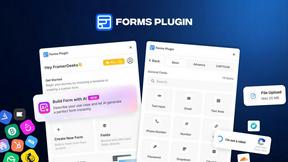
Forms Plugin
The #1 Native Form Builder Plugin for Framer - No Code, No Embeds, No External Platforms.
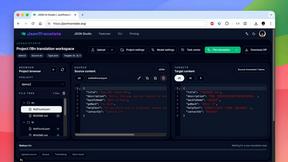
JsonTranslate
Translate JSON, Markdown, and TXT files while preserving keys, nested paths, and project structure.
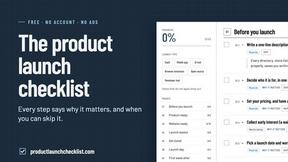
Product Launch Checklist
A free launch checklist for SaaS, apps, AI tools and more. Every step says why it matters and when you can skip it.