Learniverse
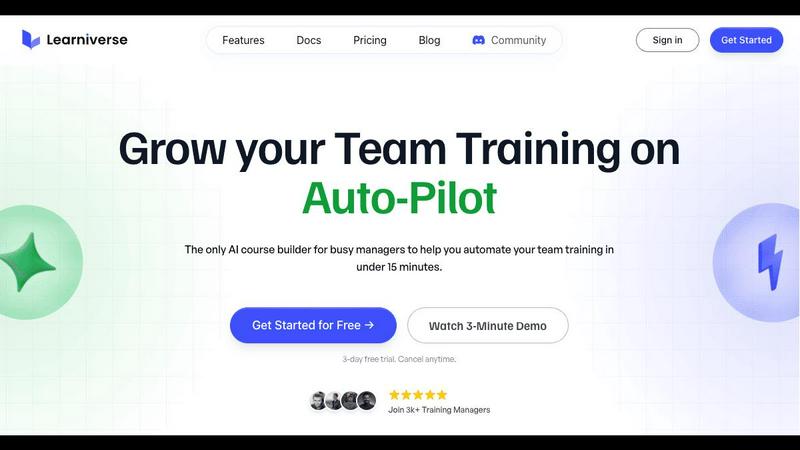
Learniverse instantly transforms your team's scattered knowledge into an automated, engaging training academy.
AI tool Details
Explore More
Alternatives
About Learniverse
Learniverse is the revolutionary, AI-powered training platform designed to liberate busy teams from the chaos of traditional knowledge management. It is a zero-effort solution for training managers, team leaders, and business owners who are tired of juggling scattered documents, outdated videos, and complex software just to get their team up to speed. At its heart, Learniverse is an intelligent Learning Management System (LMS) that empowers any organization to launch its own fully branded academy and create interactive, engaging courses in minutes—not weeks. You simply upload your existing resources like PDFs, SOPs, videos, or even just describe an idea, and the platform's AI assistant takes over. It builds complete, structured learning paths complete with quizzes, progress tracking, and a polished presentation. The core value proposition is profound: reclaim hundreds of hours, ensure consistent and effective training, and transform your scattered tribal knowledge into a scalable asset that teams actually complete. Learniverse turns the monumental task of training from a constant headache into a seamless, automated experience, freeing everyone to focus on their most impactful and rewarding work.
Features
AI-Powered Course Creation
Simply upload your existing documents, videos, recordings, or manuals, and watch the AI transform them into a complete, interactive course. You can even just describe an idea in plain language. The AI assistant structures the content, creates engaging lessons, and automatically generates relevant quizzes, building a professional learning path in minutes without any need for design skills or manual content assembly.
Branded Academy Portal
Launch a professional, fully customized training portal that reflects your company's identity. Add your logo, brand colors, and even use your own domain. This creates a polished, credible learning environment for your team that reinforces your brand, moving far beyond the generic, impersonal feel of outdated or cheap training platforms.
Automated Progress & Engagement Tracking
Gain clear, actionable insights without spreadsheet nightmares. The platform provides detailed analytics on completion rates, quiz scores, and where learners are getting stuck. Track progress across individuals, teams, or the entire organization to ensure accountability and identify knowledge gaps instantly, all from a centralized dashboard.
Integrated AI Training Assistant
Chat directly with your AI assistant to build and modify courses on the fly. Need to update a process or create a new module from a recent meeting recording? Just ask. This feature handles the heavy lifting of content structuring and formatting, allowing you to deploy and update training with incredible speed and agility.
Use Cases
Onboarding New Hires Rapidly
Eliminate the sink-or-swim experience for new team members. Consolidate all your scattered orientation materials, handbooks, and process documents into a single, engaging onboarding academy. New hires get a consistent, comprehensive introduction, drastically reducing ramp-up time and freeing managers from repetitive training sessions.
Standardizing Operational Procedures
Transform your critical Standard Operating Procedures (SOPs) and compliance documents from static PDFs into interactive, trackable training. Ensure every team member follows the correct, up-to-date processes, with completion tracking providing proof of understanding and compliance across the organization.
Converting Meeting & Workshop Content
Capture the value of your all-hands meetings, training workshops, or webinar recordings. Upload the video or audio, and use the AI assistant to extract key lessons and action items, turning ephemeral discussions into permanent, searchable training modules that reinforce learning and align the entire team.
Scaling Client or Partner Education
Easily create and manage external academies for your customers, clients, or franchise partners. Provide them with branded, professional product training, certification programs, or best practice guides, enhancing their success and reducing the support burden on your internal team.
Frequently Asked Questions
What kind of content can I upload to create a course?
Learniverse is designed for maximum flexibility. You can upload a wide variety of content including PDF documents, PowerPoint presentations, Word files, video recordings (like Zoom or Teams meetings), MP4 files, and even images. If you don't have a document ready, you can simply type or describe your idea to the AI assistant to start building from scratch.
Do I need any technical or design skills to use Learniverse?
Absolutely not. Learniverse is built specifically for busy professionals with no technical background. The AI handles all the complex tasks of structuring content, designing lessons, and formatting quizzes. The platform guides you through a simple three-step process: upload, let AI build, and launch. Your role is to provide the knowledge—Learniverse does the rest.
How does the AI ensure the courses it creates are accurate and effective?
The AI uses your source material as the definitive foundation for the course content. It structures and presents the information you provide in a pedagogically sound format, breaking it into digestible lessons and creating comprehension checks. You maintain full control to review, edit, and refine the AI-generated content before publishing to ensure it perfectly matches your standards and messaging.
Can I track my team's progress and quiz results?
Yes, comprehensive tracking is a core feature. You get a centralized dashboard where you can see who has started or completed each course, their quiz scores, and overall engagement metrics. This allows you to quickly identify who is on track, who may need additional support, and measure the overall effectiveness of your training programs.
Similar to Learniverse

Build Mode for Mac
Build Mode is a Mac app that turns focused sessions into visible progress, so you can see the work adding up before the results arrive.
MySOP.guru
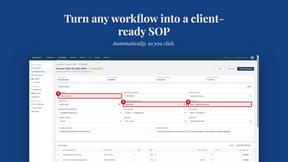
Capture any workflow in your browser and export a branded, step-by-step SOP with screenshots. €5 per document, no subscription.
PerPageFax
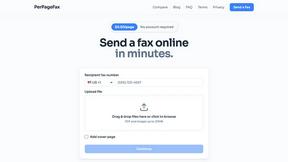
PerPageFax lets you send a fax online from any browser for a flat $0.50 per page — no account, no subscription, no fax machine.



Glanced
Follow news, blogs, newsletters, and podcasts in a free RSS reader, with AI summaries, top stories, full-text search, saved searches, and a catalog.