

Image to 3D AI
Transform any image into a stunning 3D model in seconds with our free, powerful AI tool, no signup needed.
AI tool Details
Explore More
Alternatives

About Image to 3D AI
Image to 3D AI, powered by ImgTo3D.ai, is an innovative platform that revolutionizes the way we create digital content. By seamlessly transforming static 2D images, photos, or even hand-drawn sketches into intricate 3D geometries and textured models in mere seconds, it empowers a diverse array of creators. This tool is particularly beneficial for indie game developers, 3D printing enthusiasts, e-commerce managers, and XR producers who need to convert their visionary concepts into tangible assets quickly. The advanced deep learning algorithms analyze depth, shape, and perspective from a single input, eliminating the need for extensive manual sculpting or specialized skills. With no software installation required and a robust free tier available, Image to 3D AI democratizes access to professional-grade 3D modeling, allowing creators to integrate high-quality assets into modern workflows effortlessly. It is more than just a tool; it is a gateway to transforming imagination into immersive experiences.
Features
AI-Powered Textured Image-to-3D Conversion
Transform any 2D image into a detailed textured 3D model instantly. Our advanced AI technology ensures that the depth and intricate details of your images are preserved, delivering a professional-grade output that meets the needs of various applications.
Free Image to 3D Model Generator
Enjoy a permanently free option that allows users to generate 3D models without any sign-up or credit card information. This feature ensures that everyone has access to powerful 3D modeling capabilities, making it an ideal solution for hobbyists and professionals alike.
Flexible Export Formats
Export your textured 3D models in multiple formats such as OBJ, GLB, and STL. This versatility ensures compatibility with most 3D software and platforms, making it easy to incorporate your models into gaming, AR/VR, and 3D printing projects.
Customizable Polygon Density
Adjust the polygon density of your generated 3D models to balance quality and performance. This feature allows users to optimize their assets for specific use cases, ensuring that even the most intricate details are preserved while maintaining efficiency.
Use Cases
Game Development
In the fast-paced world of game development, Image to 3D AI allows creators to generate characters, environments, and props in minutes rather than days. This rapid asset creation streamlines the workflow, enabling developers to focus on gameplay and narrative.
3D Printing
Design unique custom figurines, practical objects, or artistic creations ready for physical production. The platform’s optimized export formats facilitate a smooth transition from digital design to tangible products, enhancing the 3D printing experience.
XR/VR Experiences
Populate virtual worlds quickly with high-quality assets that maintain performance even in resource-constrained environments. This use case is vital for XR and VR producers looking to create immersive experiences without compromising on visual fidelity.
Creative Portfolios
Artists and designers can effortlessly build impressive portfolios by rapidly iterating on concepts. Image to 3D AI allows creatives to showcase their ideas without spending weeks on technical modeling, enhancing their ability to present work to clients or stakeholders.
Frequently Asked Questions
How does Image to 3D AI work?
Image to 3D AI utilizes advanced deep learning algorithms to analyze the depth, shape, and perspective of a 2D image. This analysis allows it to construct a fully realized 3D model automatically.
What types of images can I upload?
You can upload various image formats, including JPG, PNG, and WebP. The AI works best with clear, well-lit images of single objects or hand-drawn sketches.
Is there a limit on the number of models I can generate?
While there is no limit to the number of models you can create, free users may experience processing queues during peak hours. Upgrading to Pro access ensures stable and unlimited usage without delays.
Do I need to install any software to use Image to 3D AI?
No, Image to 3D AI is a web-based platform, meaning you can access it directly through your browser without any software installation. Just upload your image and start generating 3D models instantly.
Similar to Image to 3D AI
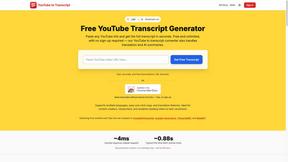
GetYouTubeTranscript
Free YouTube transcripts on the web, a Chrome extension, and an API + MCP server so AI assistants can read YouTube.


amaze.directory
Hand-checked AI tools with real pricing on the card and no paid ranks.
Speechyou
AI transcription for voice notes, meetings, and audio files in 1,700 languages, with AI summaries and subtitle export and unlimited chat ai usage.
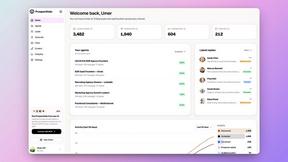
ProspectHalo
AI sales agent that finds qualified leads, runs outreach, follows up automatically, creates content, and helps book more meetings.