GPTIMG2 AI
GPTIMG2 empowers teams to effortlessly create stunning visuals, from product art to posters, with unmatched prompt accuracy and creativity.
AI tool Details
Explore More
Alternatives
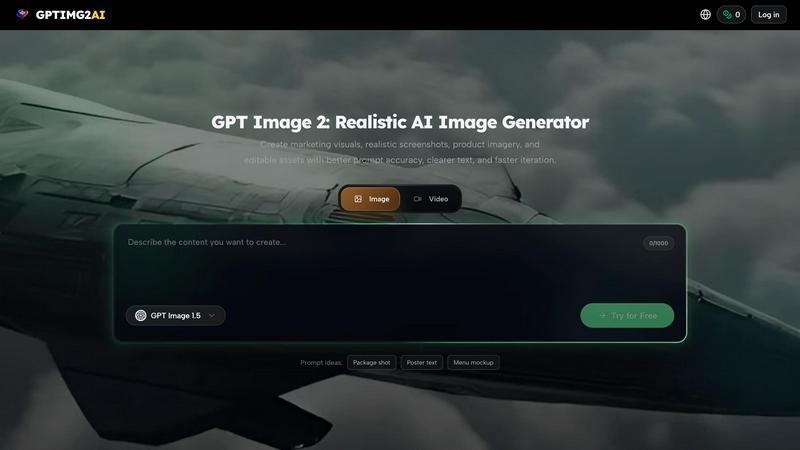
About GPTIMG2 AI
GPTIMG2 AI is a cutting-edge image and video generation workspace meticulously designed for teams that demand high-quality, production-ready visuals. In a world where first impressions matter, GPTIMG2 ensures that your creative outputs are not only visually stunning but also aligned with your specific needs. The platform prioritizes prompt fidelity, offering cleaner on-image text and reference-led editing capabilities, which streamline the creative process. From generating still images to transitioning into dynamic video production, GPTIMG2 is particularly beneficial for sectors such as product marketing, e-commerce, and social media. Whether you are crafting eye-catching posters, detailed menus, or informative diagrams, GPTIMG2 provides the tools necessary to maintain revision control and enhance collaboration within your team. This makes it an invaluable asset for anyone looking to elevate their visual storytelling and marketing strategies.
Features
High-Quality Image Generation
GPTIMG2 AI excels in producing high-fidelity images that meet professional standards. The platform's advanced algorithms ensure that every detail is captured, making it ideal for product ads, social media posts, and other visual assets that require precision and clarity.
Seamless Video Creation
Transition effortlessly from still images to video production with GPTIMG2. The platform supports a smooth workflow that allows users to generate videos based on their image assets, enhancing the storytelling potential of marketing campaigns and promotional materials.
Reference-Led Editing
One of GPTIMG2's standout features is its reference-led editing capability. This allows users to edit images based on existing visuals, ensuring that the output remains true to the desired aesthetic. This feature is perfect for teams that require consistency across multiple assets.
Versatile Use Cases
GPTIMG2 is not limited to a single industry; it caters to a variety of fields including e-commerce, marketing, and creative arts. Its versatility makes it suitable for creating everything from infographics to UI mockups, providing teams with the flexibility they need to deliver high-quality content.
Use Cases
Product Marketing
Utilize GPTIMG2 AI to create compelling product visuals that captivate your target audience. From glossy pack shots to dynamic lifestyle images, the platform empowers marketers to produce images that resonate with consumers and drive sales.
E-commerce Visuals
In the fast-paced world of e-commerce, presenting products attractively is crucial. GPTIMG2 allows for the creation of high-quality images that showcase items in their best light, helping online retailers stand out in a crowded marketplace.
Social Media Campaigns
Elevate your social media presence with visually striking assets generated by GPTIMG2. Whether it’s eye-catching posts or engaging stories, the tool provides the resources needed to enhance brand visibility and engagement on various platforms.
Educational Content
GPTIMG2 is also effective for creating educational materials such as infographics and diagrams. The platform enables educators and trainers to develop clear, informative visuals that aid in learning and comprehension, making complex topics more accessible.
Frequently Asked Questions
What types of visuals can I create with GPTIMG2?
With GPTIMG2, you can create a wide range of visuals, including product images, posters, UI mockups, infographics, and videos. The platform is designed to cater to various creative needs and industries.
How does the reference-led editing feature work?
The reference-led editing feature allows users to edit images based on existing visuals. This ensures consistency and fidelity to the desired aesthetic, making it easier to achieve the desired look across multiple assets.
Is there a free trial available for GPTIMG2?
Yes, GPTIMG2 offers a free version where users can generate image assets online. This allows you to explore the platform's capabilities before committing to a paid plan.
How does GPTIMG2 support team collaboration?
GPTIMG2 is built with collaborative workflows in mind. It allows multiple users to access and edit projects, ensuring that teams can work together efficiently while maintaining control over revisions and asset management.
Similar to GPTIMG2 AI
ImageGPT
ImageGPT is an all-in-one AI creative platform for generating, editing and transforming images and videos using AI.
AI Album Cover Maker
Create release-ready album covers from a prompt or photo. Generate, refine, and export art for singles, EPs, mixtapes, and playlists.
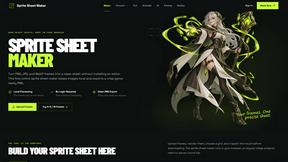
Sprite Sheet Maker
A free browser-based toolkit for creating, cutting, converting, and previewing sprite sheet animations.
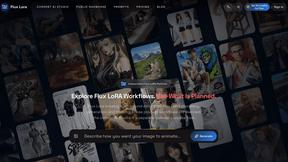
Flux Lora
Explore Flux LoRA online workflows in a browser-based AI Studio, with a roadmap for dedicated models, generation, and guided training.
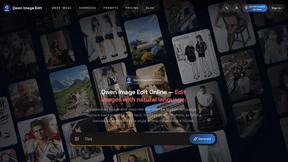
Qwen Image Edit
Prompt-based Qwen Image editing and generation for backgrounds, text, product visuals, posters, and outpainting.
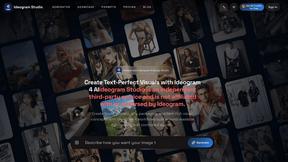
Ideogram Studio
Ideogram Studio creates typography-rich images, logos, posters, ads, packaging, and ecommerce visuals with Ideogram 4 AI.
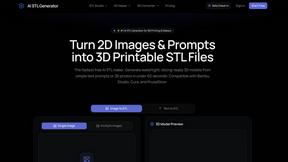
AI STL Generator
The fastest AI STL generator to turn prompts and images into 3D printable STL files.