

Gleem.AI Studio
Gleem.AI Studio empowers you to effortlessly create, edit, and personalize stunning visuals in one seamless workspace.

About Gleem.AI Studio
Gleem.AI Studio is a transformative AI image workspace designed for creators who prioritize creativity over configuration. In a world where visual content is paramount, Gleem.AI Studio simplifies the creative process by integrating image generation, editing, and iteration into a single, streamlined environment. Whether you are a marketer, content creator, or part of a small team, this platform empowers you to produce consistent, high-quality visuals quickly and intuitively. With Gleem.AI Studio, you can effortlessly generate stunning images from text prompts, edit them seamlessly, and even create personalized AI avatars, all without the burden of technical complexity. By removing unnecessary distractions and fostering a fast, fluid creative flow, Gleem.AI Studio enables you to focus on what truly matters: your vision and the artistry behind it.
Features
Text-to-Image Generator
Transform your ideas into breathtaking visuals with Gleem.AI Studio's text-to-image generator. Simply input your concept, choose your desired size, and let the platform's advanced AI refine your words into stunning images that capture your vision perfectly.
AI Image Editing
Edit images effortlessly within Gleem.AI Studio's intuitive AI editor. Add or remove objects, adjust poses, apply filters, and even restore old images, all with simple, natural prompts that make the editing process both creative and enjoyable.
AI Avatars
Generate and personalize your own AI avatars to enhance your visual storytelling. Place your avatar into any scene, adjust its pose, or try on different outfits without the need for another photoshoot, expanding your creative capabilities with ease.
Seamless Workflow Management
Gleem.AI Studio is designed to keep your creative process organized. Each project has its dedicated space, allowing you to save prompts, edits, and versions in one location. This ensures that you can easily access and build upon your previous work without losing context.
Use Cases
Marketing Assets Creation
Marketers can leverage Gleem.AI Studio to swiftly create visually appealing marketing materials. From social media posts to promotional banners, the platform allows for rapid iteration and adaptation, ensuring your visuals stay fresh and engaging.
Social Media Visuals
Social media managers can use Gleem.AI Studio to generate and edit eye-catching images tailored to their audience. With built-in tools for image enhancement and avatar creation, you can maintain a cohesive visual style that resonates with followers.
Product Images Generation
E-commerce businesses can benefit from Gleem.AI Studio by generating high-quality product images that stand out. The ability to edit and customize visuals on the fly streamlines the process of updating and showcasing products effectively.
Creative Variations Testing
Artists and designers can utilize Gleem.AI Studio for testing creative variations of their work. The platform's seamless workflow allows for quick iterations and modifications, enabling you to explore different styles and concepts without hassle.
Frequently Asked Questions
What makes Gleem.AI Studio different from other design tools?
Gleem.AI Studio stands out by offering a unified workspace where image generation, editing, and avatar creation happen in one place. This eliminates the need for multiple tools, allowing for a more fluid and intuitive creative process.
Is there a learning curve to using Gleem.AI Studio?
Gleem.AI Studio is designed with simplicity in mind, making it accessible even for users without technical expertise. The intuitive interface and natural language prompts simplify the creative process, enabling users to focus on their ideas.
Can I collaborate with my team using Gleem.AI Studio?
Yes! Gleem.AI Studio is perfect for small teams and collaborations. The platform allows users to share projects, ensuring that everyone can contribute to the creative process without losing track of edits and versions.
How does the AI image editing feature work?
The AI image editing feature uses advanced algorithms to understand your natural prompts, allowing you to make changes like adding or removing elements with ease. This smart approach ensures high-quality edits without needing complex commands.
Similar to Gleem.AI Studio
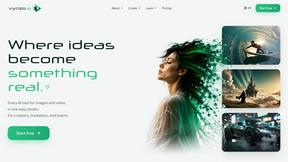
Vynzo
AI image and video studio. Generate from a prompt, animate stills, swap faces, restyle clips and edit — one credit pool, no subscription.

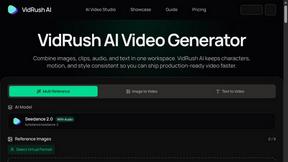
VidRush AI
AI-powered long video generator. Create multi-modal AI videos by combining images, video, audio, and text.
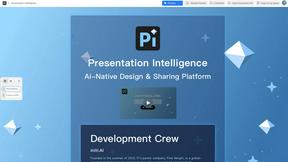
Presentation Intelligence
AI-native presentation and visual content platform that turns prompts, documents, images, videos, and data into polished, shareable decks.


Try This Skill
One-click AI photo stylization for e-commerce & portraits
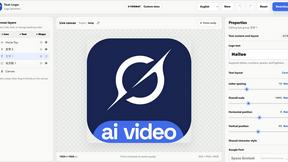
Text Logo
Create custom text, wordmark, and typography logos with editable fonts, colors, icons, shapes, and flexible exports.