

Domer
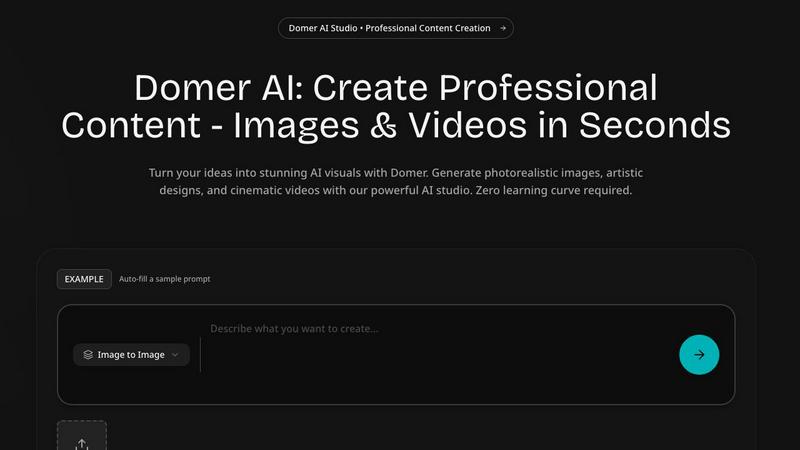
Unlock your creativity with Domer, turning your ideas into stunning videos and images in just minutes with AI.
About Domer
Domer is your ultimate AI creative studio, tailored to help individuals unleash their creative potential without any technical constraints. It serves as a versatile platform for marketers, content creators, entrepreneurs, and artists alike, transforming ideas into visually stunning content in mere moments. With Domer, you can describe a vision, upload a photo, or sketch an idea, and watch as cutting-edge AI technology crafts it into high-quality images and videos. The platform is designed for everyone, regardless of design experience, making it easy to generate professional-grade content. From photorealistic images to cinematic videos, abstract art to dynamic animations, Domer covers all bases. With support for text-to-image, image-to-image, text-to-video, and image-to-video generation, it stands out as an all-in-one solution for your creative endeavors. Say goodbye to complex software and high production costs; with Domer, your imagination is the only limit. Step into a new era of creation where your ideas are brought to life in minutes, allowing you to captivate your audience and elevate your brand effortlessly.
Features
Text-to-Video Generation
Domer's text-to-video feature allows users to create high-definition videos simply by typing a description. Whether you are aiming for social media content or marketing material, the AI processes your words and transforms them into engaging videos in about two minutes, making video creation seamless and efficient.
Image-to-Video Transformation
With the image-to-video feature, you can upload a photo and describe the desired movements or animations. This powerful capability turns static images into dynamic videos, perfect for showcasing products or creative storytelling, ensuring your visuals are as engaging as they are informative.
AI Image Generation
Domer’s AI image generator takes your written descriptions and turns them into stunning visuals in seconds. Ideal for social media posts, marketing materials, or blog illustrations, this feature eliminates the need for design skills, empowering anyone to create beautiful graphics effortlessly.
Video Editing and Effects
Domer offers a range of video editing features, including style transfers and visual effects. Users can upload existing videos and apply various transformations frame by frame, allowing for creative repurposing and enhancement of footage without the need for complex editing software.
Use Cases
Social Media Content Creation
Domer is perfect for social media managers and marketers looking to create eye-catching content quickly. With features like text-to-video and image-to-video, you can produce engaging posts for platforms like Instagram and TikTok that capture attention and drive engagement.
Marketing Campaigns
Entrepreneurs and businesses can leverage Domer to generate promotional videos and visuals for marketing campaigns. The ease of creating professional-grade content means you can test and iterate on ideas without the long lead times typically associated with video production.
Artistic Projects
Artists and creative individuals can use Domer to explore new styles and concepts. The text-to-image and image-to-image features allow for experimentation with various artistic styles, enabling creators to push the boundaries of their imagination and produce unique art pieces.
Educational Content
Educators and trainers can utilize Domer to create informative videos and illustrations for educational purposes. Whether it is for online courses, workshops, or presentations, the platform simplifies the process of producing high-quality visual content that enhances learning experiences.
Frequently Asked Questions
How fast can I create videos with Domer?
Domer allows you to create high-definition videos in about two minutes, whether you are using text-to-video or image-to-video features. This rapid turnaround makes it ideal for anyone needing quick content.
What types of files can I upload for video creation?
You can upload various file formats for video creation, including images in PNG, JPG, and WebP formats, as well as videos in MP4 and MOV formats, and audio files in MP3 and WAV formats.
Is there a limit on the credits I can use for video generation?
Domer provides users with 10 free credits to start creating videos. Importantly, these credits never expire, allowing you to use them at your convenience without pressure.
Can I edit videos after they are generated?
Yes, Domer offers editing features that allow you to apply different visual effects and transformations to your videos. This capability enables you to enhance your content further without the need for additional editing software.
Similar to Domer
opus55video
Opus55video turns written ideas into cinematic motion. Describe a scene, choose the format and duration, and create a striking video.
GetYouTubeTranscript
Free YouTube transcripts on the web, a Chrome extension, and an API + MCP server so AI assistants can read YouTube.


AI STL Generator
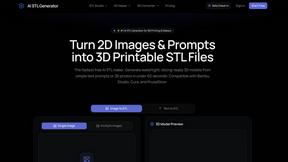
The fastest AI STL generator to turn prompts and images into 3D printable STL files.
AIEnhancer
Enhance photos, create images, and generate videos with an all-in-one AI enhancer for flexible creative workflows.