

Dokie AI
Transform your ideas into stunning presentations in minutes with Dokie AI, the ultimate tool for creating professional PPT slides effortlessly.
AI tool Details
Explore More
Alternatives

About Dokie AI
Dokie AI is a groundbreaking AI presentation maker designed to empower business professionals, educators, marketers, and startup founders to create visually stunning and effective presentations without the need for extensive design skills. It leverages the advanced capabilities of Claude Opus 4.6, which drives its AI generation features. Dokie AI transforms plain text into polished slide decks, handling everything from content structure to layout selection, typography, and visual design automatically. With its intuitive interface and powerful tools, users can generate presentations from scratch, enhance existing slides, and even convert documents into PowerPoint presentations. The value proposition of Dokie AI lies in its ability to save time and effort while delivering professional-quality results that captivate audiences and convey messages effectively.
Features
AI Generate PPT
The AI Generate PPT feature allows users to describe their presentation topic in simple text. Dokie AI then takes this input and generates a complete slide deck, complete with professional layouts, engaging charts, and compelling content tailored to the topic. This feature is perfect for those who want to kick-start their presentations without starting from scratch.
AI Beautify PPT
With the AI Beautify PPT feature, users can upload existing presentations and let Dokie AI work its magic. The AI enhances the design, corrects layout issues, and applies professional styling while ensuring that the original content remains intact. This feature is ideal for revitalizing older presentations and making them visually appealing.
Speech Notes Generation
Dokie AI simplifies the presentation delivery process by automatically generating detailed speaker notes for each slide. These notes provide essential talking points and insights, helping presenters deliver their message confidently and effectively. This feature is especially useful for those who may struggle with public speaking or need additional support during presentations.
Multi-format Conversion Tools
Dokie AI offers a suite of conversion tools that allow users to transform various document formats into PowerPoint slides. This includes converting PDFs, Word documents, and even YouTube videos into presentations. These tools make it easy for users to repurpose content and create engaging presentations from diverse sources.
Use Cases
Business Presentations
Business professionals can use Dokie AI to create impactful presentations for meetings, pitches, and conferences. With its AI-driven design and content generation, users can focus on delivering their message rather than getting caught up in the design process.
Educational Lectures
Educators can leverage Dokie AI to develop visually engaging lecture slides that enhance student understanding. By transforming complex topics into digestible visual formats, teachers can make learning more interactive and enjoyable.
Marketing Campaigns
Marketers can utilize Dokie AI to produce persuasive presentations for campaigns, showcasing products and services effectively. The AI-generated content helps in crafting compelling narratives that resonate with target audiences.
Startup Pitches
Startup founders can benefit from Dokie AI by creating concise and visually appealing pitch decks. The ability to generate high-quality presentations quickly enables entrepreneurs to focus on refining their business ideas and securing investment.
Frequently Asked Questions
How does Dokie AI generate presentations?
Dokie AI uses advanced AI algorithms powered by Claude Opus 4.6. Users simply describe their topic in plain text, and the AI automatically generates a complete slide deck with professional layouts and content.
Can I enhance existing presentations with Dokie AI?
Yes, the AI Beautify PPT feature allows users to upload existing presentations. Dokie AI will enhance the design, fix layouts, and apply professional styling while preserving the original content.
Is there a feature for generating speaker notes?
Absolutely. Dokie AI automatically creates detailed speaker notes for each slide, providing essential talking points that help presenters deliver their presentations confidently.
What formats can I convert to PowerPoint using Dokie AI?
Dokie AI supports multiple conversion formats including PDF to PPT, Word to PPT, HTML to PPT, and even YouTube to PPT, allowing users to easily repurpose content from various sources into professional presentations.
Similar to Dokie AI
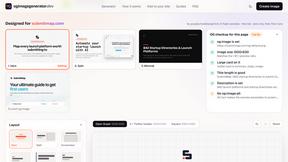
ogimagegenerator.dev
Paste a URL and AI designs on-brand Open Graph images from your page's colours, fonts and logo. Free, no sign-up.
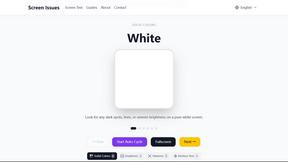
Screen Issues
Free Online Screen Test Tool - Instantly diagnose dead pixels, lines, color issues, and flickering. Multiple test modes, no download needed.
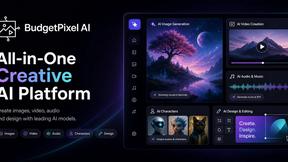
Budgetpixel AI
Create and edit AI images, videos, music, and designs in one workspace, with multiple models, reusable characters, and API access.
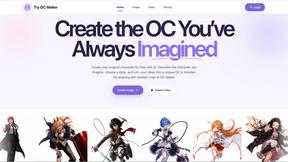
Try OC Maker
Create OCs from text or images, customize their look, and turn them into animated videos with AI.
ImageGenerator
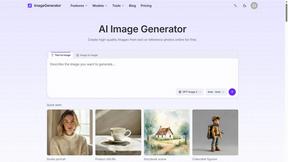
Create and edit AI images online with multiple models, text-to-image, image-to-image, background removal, and upscaling.

Low Quality Image
Make an image low quality or lower image quality on purpose.

AI Object Remover
Remove unwanted people, objects, text and watermarks from photos with AI

ArtPatt
Turn any photo into a craft chart for crochet, C2C, tapestry, knitting colorwork, cross-stitch and embroidery.