

dmaya
Transform your design process with dMaya, the AI platform that accelerates UI creation, client collaboration, and code export for teams.
AI tool Details
Explore More
Alternatives
About dmaya
dMaya is a revolutionary vibe design platform engineered specifically for agencies, teams, and freelancers who prioritize the design phase before diving into coding. With dMaya, users can effortlessly chat with an AI agent to create professional UI designs from simple text descriptions. Whether you're envisioning a SaaS dashboard, a seamless e-commerce flow, or an innovative mobile app, dMaya generates polished screens in mere seconds. This platform is tailored for collaboration, allowing for instant design iterations through natural language commands, where you can change colors, swap layouts, adjust typography, or add new sections effortlessly. As design tokens maintain consistency across all screens, dMaya empowers teams to present, approve, and ship designs with confidence. The review process that previously took days can now be completed in minutes, enhancing productivity and teamwork. Once designs are approved, users can export clean HTML, CSS, and JS code, which can be handed off to coding agents for development in various frameworks like React, Next.js, or Flutter. By bridging the gap between design and development, dMaya transforms the design workflow, ensuring teams make intentional decisions and catch issues early in the process.
Features
AI-Powered Design Generation
dMaya harnesses the power of AI to generate production-ready UI designs based on plain language input. This feature allows users to create complete layouts, component systems, and responsive variants in seconds, drastically reducing design time.
Multi-Screen Canvas
This feature provides an infinite canvas where users can work across both desktop and mobile frames simultaneously. It combines the flexibility of tools like Figma with the speed of AI, enabling users to drag, zoom, and organize screens effortlessly.
Built for Teams & Collaboration
dMaya is designed with teamwork in mind. It allows users to invite team members, share projects with clients, and leave comments in real-time. Role-based access ensures that everyone collaborates effectively, keeping the design process streamlined.
Client Presentation Mode
With this feature, users can share interactive previews of their designs through a single link, requiring no accounts for viewers. This capability fosters instant feedback from clients, allowing for rapid iterations and approvals without leaving the platform.
Use Cases
Agencies
Agencies can leverage dMaya to generate design concepts rapidly during discovery calls, presenting multiple design directions to stakeholders in hours. This efficiency helps win more clients and enhances the agency's credibility.
Product Teams
Product teams can use dMaya to explore various UI directions before allocating engineering resources. The platform facilitates collaboration across design, product, and engineering, ensuring alignment and reducing discrepancies between designed and built products.
Freelancers
Freelancers can enhance their productivity by taking on more projects without increasing their workload. dMaya enables them to deliver high-quality designs quickly, allowing for higher charges without compromising on project timelines.
Startups
Startups can use dMaya to rapidly prototype and iterate on their product designs. By obtaining client feedback in real-time and making necessary adjustments, they can align their vision with market needs efficiently.
Frequently Asked Questions
How does dMaya enhance the design process?
dMaya enhances the design process by combining AI-driven design generation with real-time collaboration features. This allows teams to create, iterate, and finalize designs quickly, ensuring alignment before development begins.
Can I use dMaya for mobile app designs?
Yes, dMaya is versatile and can be used for designing mobile apps, SaaS dashboards, e-commerce flows, and more. The AI can generate responsive designs that cater to various screen sizes.
What happens after my design is approved?
Once your design is approved, you can export it as clean HTML, CSS, and JS code. You can then hand this code over to coding agents like Cursor or Claude Code for development in your preferred framework.
Is there a limit to how many designs I can create?
dMaya allows you to create an infinite number of designs on its multi-screen canvas. You can iterate and refine your designs without any limitations, fostering creativity and exploration.
Similar to dmaya
Ideogram Studio
Ideogram Studio creates typography-rich images, logos, posters, ads, packaging, and ecommerce visuals with Ideogram 4 AI.
AI STL Generator
The fastest AI STL generator to turn prompts and images into 3D printable STL files.
Presentation Intelligence
AI-native presentation and visual content platform that turns prompts, documents, images, videos, and data into polished, shareable decks.

Try This Skill
One-click AI photo stylization for e-commerce & portraits
Text Logo
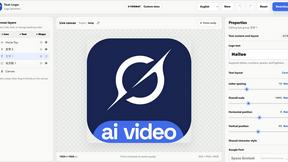
Create custom text, wordmark, and typography logos with editable fonts, colors, icons, shapes, and flexible exports.

Video2Jpg
Convert video to JPG, PNG, or WebP frames in your browser. High-quality video to image converter with no uploads—fast, private, and free.
Seedance 2.5 Free
Create polished AI videos from text prompts or images with Seedance 2.5 Free.