CodeAva
CodeAva empowers developers to ship confidently with fast website audits, code checks, and practical tools for seamless validation.
AI tool Details
About CodeAva
CodeAva is a revolutionary browser toolkit designed specifically for developers, QA teams, technical SEO specialists, support engineers, and technical founders. It addresses the everyday workflow challenges that slow down productivity by providing a suite of powerful tools without the need for installation or navigating through cluttered online utilities. With CodeAva, users can effortlessly validate, format, inspect, convert, and debug a variety of technical inputs, including JSON, timestamps, UUIDs, hashes, HTTP headers, robots.txt files, sitemaps, structured data, API payloads, and text differences. The core mission of CodeAva is straightforward: to enable users to open a tool, complete their task efficiently, and return to the development process. By focusing on the small yet frequent technical jobs that hinder progress during development, QA, SEO audits, troubleshooting, and support work, CodeAva provides a streamlined experience. Unlike many other free tool sites that are cluttered with ads and outdated interfaces, CodeAva emphasizes speed, clean user experience, and practical workflows. Users can expect a growing collection of tools that cater to their genuine needs, leading to faster debugging, fewer distractions, and reduced context switching. In the long run, CodeAva aims to evolve from a utility-first toolbox into a comprehensive Automated Validation Assistant, enhancing technical auditing and workflow support.
Features
Website Audit
The Website Audit feature allows users to analyze public pages for critical SEO factors like metadata, canonical tags, crawl signals, and security headers. This tool simplifies the auditing process by grouping findings by severity, making it easy to identify and prioritize issues that require immediate attention.
Code Audit
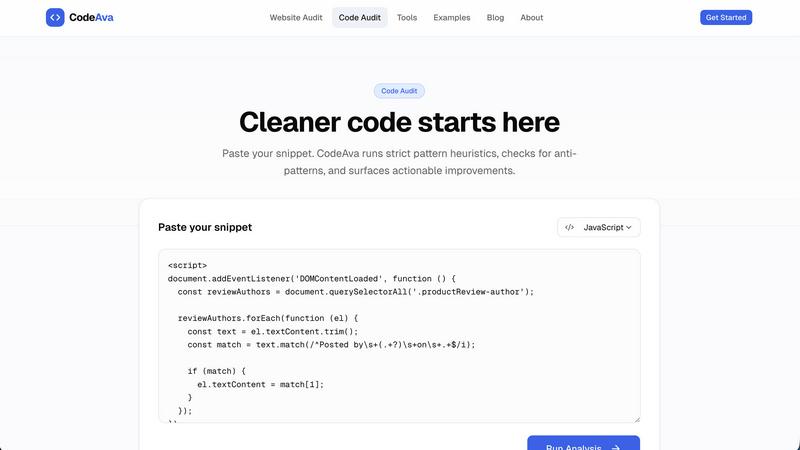
With the Code Audit feature, users can paste code snippets and receive instant feedback on potential issues. This includes identifying risky patterns, maintainability concerns, and practical quality issues, all with severity ratings that help users address the most critical problems first.
Developer Tools
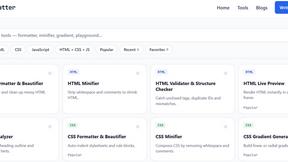
CodeAva offers a suite of browser-based developer tools aimed at formatting, validating, decoding, and comparing various technical inputs. Users can quickly work with JSON, JWT, regex, diffing, hashing, and more, streamlining their development process without needing external applications.
Grouped Findings
CodeAva excels in presenting audit results by categorizing them into actionable insights. Users can easily navigate through grouped findings based on severity and type, ensuring that they can focus on what truly matters without getting lost in a sea of warnings.
Use Cases
Streamlining Development Workflows
Developers can utilize CodeAva to quickly validate their code and configurations before pushing updates to production. This immediate feedback loop helps catch issues early, reducing the likelihood of bugs and enhancing overall software quality.
Enhancing SEO Audits
Technical SEO specialists can leverage CodeAva to perform thorough website audits, ensuring that all critical SEO signals are in place. By identifying gaps in metadata, security headers, and canonical tags, users can optimize their sites for better search engine performance.
Simplifying Troubleshooting
Support engineers can use CodeAva to inspect and debug various technical inputs, such as API payloads and HTTP headers. This functionality allows them to quickly identify issues and provide effective solutions to users facing problems.
Educating Teams on Code Quality
Agencies and QA teams can employ CodeAva to educate their members on best practices in code quality. By analyzing code snippets and explaining risks in clear language, teams can foster a culture of continuous improvement and technical excellence.
Frequently Asked Questions
What types of inputs can I validate with CodeAva?
CodeAva supports a wide variety of inputs including JSON, timestamps, UUIDs, hashes, HTTP headers, robots.txt files, sitemaps, structured data, API payloads, and text differences, making it a versatile tool for developers.
Do I need to create an account to use CodeAva?
No, CodeAva does not require users to sign up or create an account for its core tools. This allows for quick access and immediate use without unnecessary barriers.
How does CodeAva categorize its findings?
CodeAva organizes audit results by severity and category, providing users with a clear view of what needs attention. This structured approach helps users prioritize their tasks and focus on actionable findings.
Is CodeAva suitable for teams or individual developers?
CodeAva is designed to cater to both individual developers and teams, including agencies, QA specialists, and technical site owners. Its user-friendly interface and practical tools make it accessible for anyone involved in technical workflows.
Similar to CodeAva

aSERP AI Visibility Platform
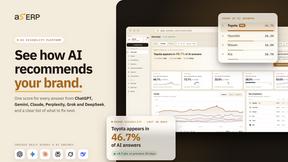
aSERP is an AI visibility and AEO platform for monitoring brand mentions, citations and competitor performance across AI-powered search.

ButterShare
Realtime peer-to-peer file transfer in the browser. Send files directly between devices, no account and no upload to a server.


LaunchIntel
Your AI agent picks relevant directories, submits your product in your browser and tracks every step. One-time purchase.


Emailyy
Free email tools for signatures, subject lines, HTML previews, word counts, and email headers. Browser-based, simple to use, and no signup required.