

CircleCrop
Transform your image into a perfect circle to elevate your profile and stand out instantly.
AI tool Details
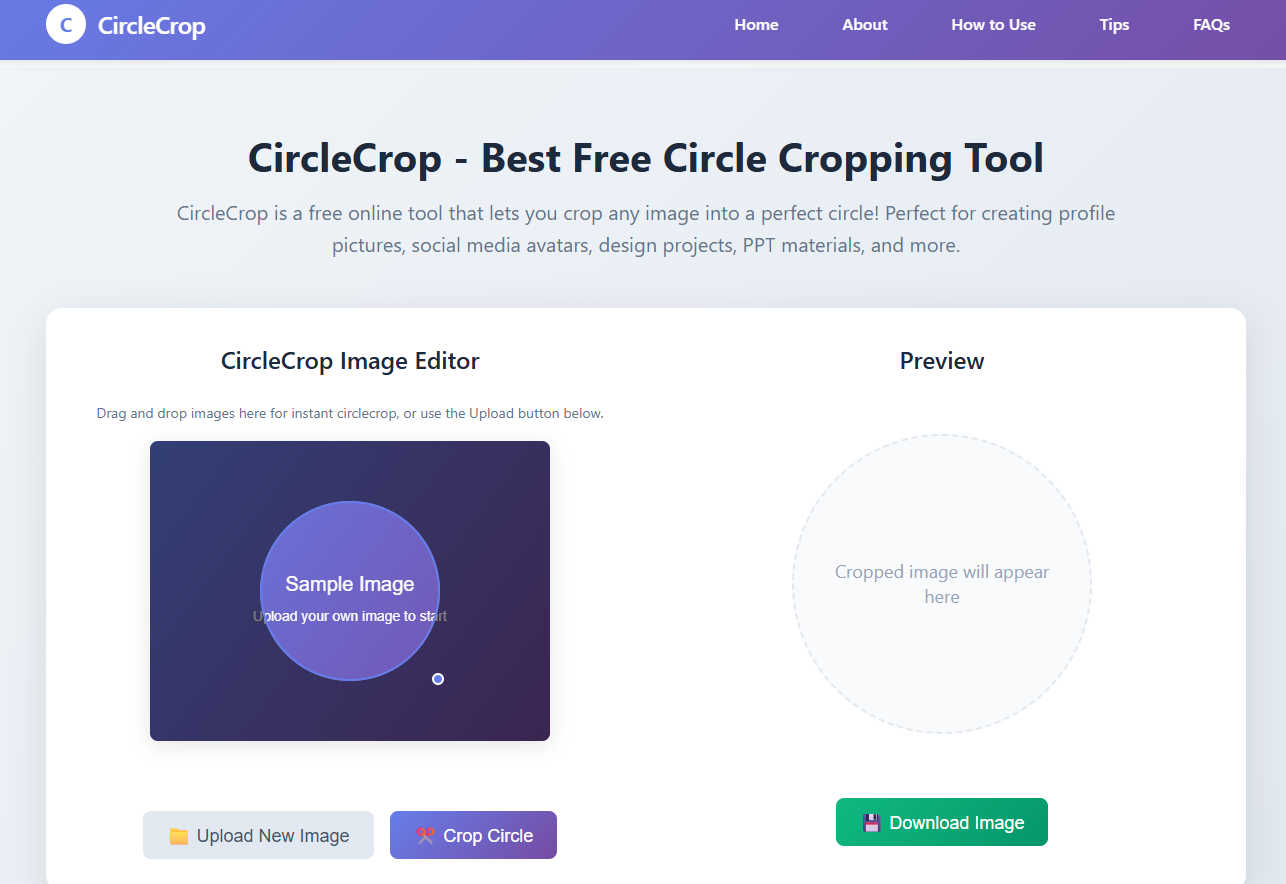
About CircleCrop
In a digital world where your image is your introduction, CircleCrop is your key to unlocking a powerful and polished visual identity. This is not merely a utility; it is a transformative platform designed to empower every individual and professional to create stunning, perfectly circular images that command attention and elevate their brand. CircleCrop is a 100% free, advanced online editor that instantly converts any standard photo into a flawless circular crop, eliminating the frustration and technical complexity of traditional software. Built for everyone—from social media influencers and ambitious job seekers to creative designers, passionate gamers, and driven small business owners—it delivers profound simplicity with powerful, professional-grade results. Experience the freedom of instant, real-time editing with no downloads, no registration required, and an unwavering commitment to your privacy, as all processing happens securely on your own device. Your journey to a more impactful and confident visual presence starts here. Transform your ordinary images into extraordinary circular avatars and icons that don't just fit in, but truly stand out and make a statement.
Features
Real-Time Preview & Live Adjustment
Witness the transformation as it happens. Our advanced preview system provides instant visual feedback the moment you adjust the circular cropping area. This eliminates all guesswork, allowing you to position your subject perfectly within the circle with live, precise adjustments. What you see in the preview is exactly the professional, polished result you will download, empowering you to create with confidence and precision on the first try.
Zero-Registration Instant Access
Your creative journey should begin without barriers. CircleCrop requires no sign-up, no account creation, and no email submission. You can start transforming your images immediately upon visiting the site. This commitment to frictionless access means unlimited usage is always free and instantly available, putting the power of professional editing directly in your hands whenever inspiration strikes.
Client-Side Privacy & Security
Your images and your privacy are paramount. CircleCrop operates with 100% client-side processing, which means your photos are never uploaded to any external server. All editing magic happens securely right within your own browser on your device. This guarantees complete privacy and security, giving you absolute peace of mind while you craft your perfect public image.
Multi-Format Drag & Drop Simplicity
Embrace effortless creativity with support for all major image formats including JPG, PNG, and GIF files up to 10MB. The intuitive interface allows you to simply drag and drop your photo directly into the editor or use the upload button for seamless access. This flexibility ensures that no matter the source of your image, you can quickly and easily begin your transformation into a perfect circle crop.
Use Cases
Elevating Professional Branding
Transform standard headshots into polished, professional profile pictures that make a powerful first impression. Use CircleCrop to create consistent and authoritative circular avatars for LinkedIn profiles, corporate websites, email signatures, and digital business cards. This simple step elevates your professional brand, conveying competence and attention to detail that helps you stand out in a competitive landscape and build trust with your network.
Crafting Standout Social Media Profiles
Command attention in every feed by creating a perfect circle profile picture (PFP) for platforms like Instagram, Facebook, Twitter, and TikTok. A professionally cropped circular avatar creates visual cohesion, enhances your personal brand, and makes your profile instantly more recognizable and engaging. It’s the essential tool for influencers, creators, and anyone looking to make a lasting impact on social media.
Designing Unique Gaming & Community Identities
Forge a powerful identity in the digital realm. Gamers and community leaders can use CircleCrop to create distinctive circular avatars and logos for platforms like Discord, Steam, Twitch, and clan websites. A crisp, clean circle crop turns any image into a professional-looking emblem that represents your team or personal brand with pride and clarity, fostering a strong sense of community and recognition.
Enhancing Creative Projects & Presentations
Unlock new dimensions of creativity for your visual projects. Designers, marketers, and students can utilize circular images to create compelling graphics for presentations, marketing materials, website icons, app interfaces, and artistic compositions. CircleCrop provides the perfect, hassle-free tool to integrate eye-catching circular elements that add a modern, polished touch to any creative endeavor.
Frequently Asked Questions
Is CircleCrop really free to use?
Yes, absolutely. CircleCrop is 100% free to use forever, with no hidden fees, subscriptions, or premium tiers. You have unlimited access to all its advanced cropping features without any cost. We believe powerful image transformation should be accessible to everyone, which is why we offer this professional tool completely free of charge.
How does CircleCrop protect my privacy?
CircleCrop prioritizes your privacy by using client-side processing. This means when you upload an image, it is never sent to our servers or stored anywhere online. All the editing and processing happens directly within your own web browser on your device. Your photos remain entirely with you, ensuring complete security and peace of mind.
What image formats does CircleCrop support?
Our tool supports all common image formats to provide maximum flexibility. You can upload and crop JPG, PNG, and GIF files. We support images up to 10MB in size. Whether your photo is from a camera, smartphone, or downloaded from the web, you can likely use it with CircleCrop to create your perfect circular crop.
Do I need to create an account to use CircleCrop?
No, you do not need to create an account or register in any way. CircleCrop is designed for instant access. Simply visit the website, upload your image, and start cropping immediately. There is no sign-up process, no email required, and no personal information collected, allowing you to focus purely on creating your perfect image.