

Caption.IM
Transform your Mac into a real-time captioning powerhouse, turning any audio from meetings to podcasts into instant subtitles, translations, and.
AI tool Details
Explore More
Alternatives

About Caption.IM
Imagine a world where every word spoken on your Mac is instantly transformed into clear, readable text, no matter which application you are using. That is the reality Caption.IM creates. This privacy-first AI captioning assistant is purpose-built for macOS, turning any audio source on your computer into real-time captions, instant translations, recordings, and structured meeting notes. Unlike browser extensions or meeting bots that require complex setup and compromise your privacy, Caption.IM captures system audio directly, working seamlessly across Zoom, Google Meet, Microsoft Teams, YouTube, online courses, podcasts, livestreams, webinars, and recorded videos. It is designed for anyone who wants to capture, understand, and retain spoken information more effectively. For remote workers, it eliminates the fear of missing critical details during fast-paced meetings. For students and researchers, it turns lectures and presentations into searchable, translatable knowledge. For multilingual teams, it bridges language gaps with real-time translation. For content creators and accessibility advocates, it provides live subtitles that make content inclusive for everyone. The magic happens locally on your device, powered by Apple Silicon for ultra-fast speech recognition with minimal latency. Your conversations never leave your Mac, ensuring complete privacy while empowering you to capture every important moment. Caption.IM is not just a tool; it is your personal assistant for turning audio chaos into organized, actionable insights. It is about transforming how you interact with information, making every conversation more accessible, productive, and equitable. No bots. No browser dependency. No complicated setup. Just pure, elegant, real-time captioning that puts you in control.
Features
Real-Time Transcription
Caption.IM generates live captions for any audio source on your Mac, from video calls and meetings to podcasts and recorded videos. The transcription appears in a floating subtitle window that elegantly overlays your screen, providing instant readability without disrupting your workflow. Powered by local AI optimized for Apple Silicon, the speech recognition is incredibly fast and accurate, capturing every word with minimal latency. Whether you are in a fast-paced team meeting or watching a dense lecture, you can follow along with perfect clarity, never missing a single detail again.
Instant Translation
Break down language barriers effortlessly with real-time translated subtitles. Caption.IM supports multiple languages, allowing you to understand content from around the world as it happens. If you are collaborating with international colleagues, watching foreign-language content, or attending global webinars, the translation feature ensures you never feel lost. The translated captions appear live alongside the original audio, giving you immediate comprehension without needing to pause or rewind. This feature transforms your Mac into a universal translator, making global communication seamless and inclusive.
AI Meeting Summaries
After any conversation, Caption.IM automatically generates structured summaries that capture key points, action items, and decisions. This feature eliminates the need for manual note-taking during meetings, freeing you to focus on the discussion itself. The AI analyzes the entire transcript to extract the most important insights, presenting them in a clear, organized format. You can also generate mind maps that visually connect ideas, making it easy to review and share meeting outcomes with your team. Turn hours of discussion into minutes of actionable knowledge.
Privacy-First Local Processing
Your privacy is paramount. Caption.IM processes all speech recognition and AI analysis locally on your Mac, meaning your conversations never leave your device. There are no cloud servers storing your audio or transcripts, no third-party services listening in, and no data breaches to worry about. This local processing is powered by Apple Silicon, delivering ultra-fast performance while keeping your data secure. You get the benefits of cutting-edge AI without sacrificing your confidentiality. It is the perfect solution for professionals handling sensitive information, legal discussions, or private client calls.
Use Cases
Remote Meetings and Team Collaboration
In the world of remote work, missing a single sentence during a video call can lead to misunderstandings and lost opportunities. Caption.IM ensures you catch every word with live subtitles that appear directly on your screen. Whether you are using Zoom, Google Meet, or Microsoft Teams, the captions follow the conversation in real time. After the meeting, the AI generates a structured summary with key points and action items, so you never have to scramble to remember who said what. This transforms chaotic meetings into organized, productive sessions where everyone stays aligned.
Online Learning and Academic Research
Students and researchers can revolutionize their study habits with Caption.IM. Imagine watching a complex online course or lecture and having every word instantly transcribed into searchable text. You can review the transcript later, highlight important concepts, or translate foreign-language lectures into your native tongue. The AI summaries help you distill hours of content into digestible notes, perfect for exam preparation or literature reviews. This tool makes education more accessible and efficient, allowing you to absorb information faster and retain it longer.
Accessibility and Inclusive Content Creation
For individuals who are deaf or hard of hearing, real-time captions are not a luxury; they are a necessity. Caption.IM provides accurate, low-latency subtitles for any audio source on your Mac, making online content truly accessible. Content creators can also use the tool to generate subtitles for their videos, podcasts, or livestreams, ensuring their work reaches the widest possible audience. By removing barriers to understanding, Caption.IM empowers everyone to participate fully in the digital world, fostering a more inclusive and equitable online experience.
Multilingual Communication and Global Teams
Working with international colleagues or clients often involves language barriers that slow down progress. Caption.IM bridges this gap with instant translation of spoken language into text you can understand. During a multilingual meeting, you can see the original captions alongside their translated counterparts, allowing you to follow the discussion without confusion. This feature is invaluable for global businesses, diplomatic conversations, or any scenario where clarity across languages is critical. It turns your Mac into a hub for effortless cross-cultural communication.
Frequently Asked Questions
Does Caption.IM work with any application on my Mac?
Yes, Caption.IM captures system audio directly, meaning it works across virtually any application that produces sound. This includes video conferencing tools like Zoom, Google Meet, and Microsoft Teams, as well as media players, web browsers for YouTube and online courses, podcast apps, and recorded video files. You do not need browser extensions or special integrations. Simply launch Caption.IM, and it will start generating captions for whatever audio is playing on your Mac.
Is my data private and secure when using Caption.IM?
Absolutely. Caption.IM is built with a privacy-first architecture. All speech recognition, transcription, translation, and AI summarization processes run locally on your Mac. Your audio data and transcripts never leave your device, meaning no cloud servers are involved. This ensures that sensitive conversations, whether they are business negotiations, medical consultations, or personal calls, remain completely confidential. You are in full control of your data at all times.
What are the system requirements for Caption.IM?
Caption.IM is designed specifically for macOS and is optimized for Apple Silicon (M1, M2, M3, and later chips). It requires macOS 15.6 or later to run. The local AI processing is highly efficient, but for the best performance with minimal latency, a Mac with Apple Silicon is recommended. The app is lightweight at only 18.1 MB, so it will not take up significant storage space on your device.
How do the AI meeting summaries work?
After a conversation or meeting ends, Caption.IM automatically analyzes the full transcript using local AI. It identifies the most important topics, key decisions, action items, and discussion points. The summary is then presented in a structured, easy-to-read format. You can also generate mind maps that visually connect ideas and themes. This feature saves you hours of manual note-taking and ensures you capture the essence of every discussion without missing critical details.
Similar to Caption.IM

Product Launch Checklist
A free launch checklist for SaaS, apps, AI tools and more. Every step says why it matters and when you can skip it.

Flux Lora
Explore Flux LoRA online workflows in a browser-based AI Studio, with a roadmap for dedicated models, generation, and guided training.

HomeAnswerBook
Practical, independent guides to home repairs, maintenance, costs, troubleshooting, and everyday fixes.

BlazePDF
Highlight faster. Study in flow with custom shortcuts and a workflow built around you. Print smarter, or turn any page into a tiled poster.
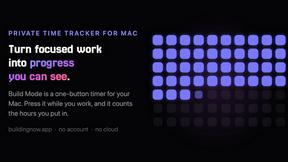
Build Mode for Mac
Build Mode is a Mac app that turns focused sessions into visible progress, so you can see the work adding up before the results arrive.


