

Blueberry
Blueberry is your all-in-one Mac workspace that seamlessly integrates coding, terminal, and browsing for effortless app.
AI tool Details
Explore More
Alternatives

About Blueberry
Blueberry is a transformative Mac application designed for modern product builders, merging the functionalities of an editor, terminal, and browser into a single, focused workspace. This AI-native product development platform empowers developers to build and ship web applications with ease, eliminating the hassle of juggling multiple tools and windows. With Blueberry, you can connect advanced AI models like Claude, Gemini, or Codex through its built-in MCP server, allowing the AI to access your files, terminal output, and live preview simultaneously. This creates an environment where context is always at your fingertips, enabling you to focus on creativity and productivity. Ideal for developers, designers, and product managers, Blueberry fosters collaboration and innovation, ensuring that building products feels seamless and intuitive. By providing all the essential tools in one place, Blueberry allows you to shift your mindset from multitasking to a more streamlined focus on delivering delightful web applications.
Features
Integrated Workspace
Blueberry combines a terminal, code editor, and preview browser into a cohesive workspace, allowing you to seamlessly switch between coding, testing, and viewing your web applications. This integration eliminates the need for constant app switching, enhancing productivity and focus.
Live AI Context
With Blueberry's MCP server, you can run AI models directly in the terminal, providing them with live context from your entire workspace. This means your AI can understand your project better, offering intelligent suggestions and real-time assistance tailored to your specific needs.
Multi-Device Preview
Blueberry allows you to preview your applications across multiple devices, including desktops, tablets, and smartphones. This feature ensures that you can see exactly how your users will experience your application without leaving your workspace, helping you make informed design decisions.
Pinned Apps and Tools
Keep essential tools like GitHub, Linear, Figma, and PostHog docked within your Blueberry workspace. These pinned apps load with your project and share live context with your AI, making collaboration easier and more efficient as you build and iterate on your products.
Use Cases
Streamlined Development
Developers can leverage Blueberry to streamline their workflow by having a terminal, code editor, and browser all in one place. This setup allows for quick iterations, testing, and debugging, significantly reducing the time spent switching between different applications.
Collaborative Design
Designers can use Blueberry to collaborate effectively with developers by keeping design tools and live previews accessible within the same workspace. This integration fosters real-time feedback and adjustments, resulting in a more cohesive design and development process.
Enhanced Learning Experience
Educational institutions and coding bootcamps can utilize Blueberry as a teaching tool, providing students with an integrated environment to learn coding, testing, and debugging. The live context and immediate feedback from AI models can enhance the learning experience, making it more engaging and effective.
Product Management Efficiency
Product managers can benefit from Blueberry by having all relevant tools and context in one place. This enables them to monitor project progress, collaborate with teams, and make data-driven decisions without the distraction of managing multiple applications.
Frequently Asked Questions
What platforms is Blueberry available on?
Blueberry is currently available exclusively for macOS users. It is designed to take advantage of the Mac ecosystem, ensuring optimal performance and user experience.
How does Blueberry enhance AI integration?
Blueberry integrates with AI models via its MCP server, allowing the AI to access your project files, terminal output, and live preview. This provides the AI with full contextual awareness, enabling more accurate suggestions and assistance.
Is Blueberry truly free during beta?
Yes, Blueberry is 100% free during its beta phase. Users can download and utilize the full range of features without any cost, giving them an opportunity to experience the platform's capabilities.
Can I access Blueberry from multiple devices?
Yes, Blueberry allows you to access your workspace from any device on your local network. This feature ensures that you can continue your work seamlessly, regardless of the device you are using.
Similar to Blueberry
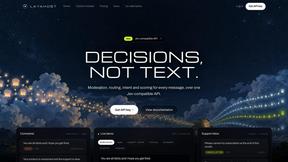
layahost
Moderation, routing, intent and scoring for any text over one Jev-compatible API, hosted in the EU.
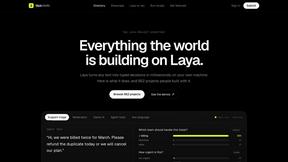
laya.tools
Free directory of 950+ projects built on Laya, the open-source model that turns text into typed decisions in milliseconds.
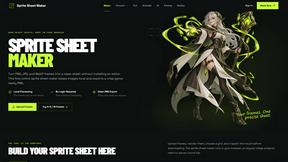
Sprite Sheet Maker
A free browser-based toolkit for creating, cutting, converting, and previewing sprite sheet animations.
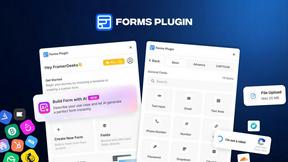
Forms Plugin
The #1 Native Form Builder Plugin for Framer - No Code, No Embeds, No External Platforms.

Product Launch Checklist
A free launch checklist for SaaS, apps, AI tools and more. Every step says why it matters and when you can skip it.


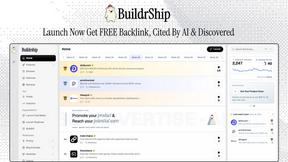
BuildrShip
BuildrShip is where builders launch products, get discovered, and build lasting visibility on the internet.