

AI Audio Translator
Turn any spoken content into a global experience by instantly transcribing, translating, and dubbing audio live from your first screen.
AI tool Details
Explore More
Alternatives
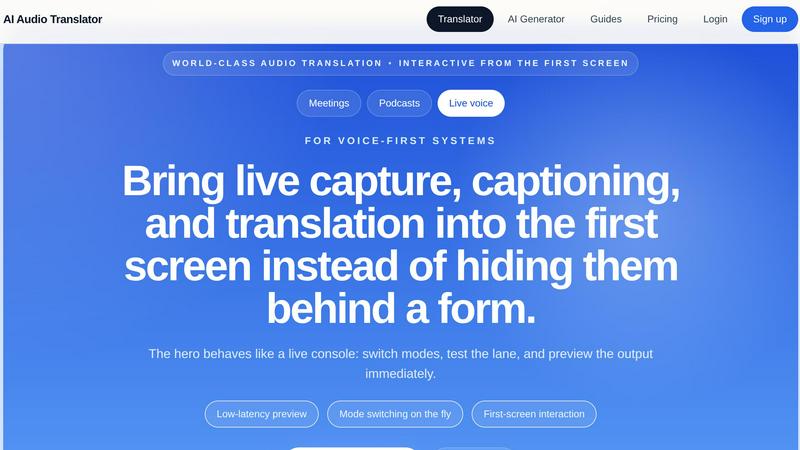
About AI Audio Translator
AI Audio Translator is a revolutionary browser-based tool that transforms how you work with spoken content across languages. It is not just another translation tool; it is a complete, focused workflow studio built for the modern, voice-first world. Whether you are a podcaster preparing international episodes, a localization team reviewing training materials, an educator translating a lecture, or a business professional preparing a demo for overseas partners, this tool empowers you to move from raw audio to polished, multilingual output in a single, seamless session. The core philosophy is practical review and control. You are in the driver's seat. You can upload audio files (MP3, WAV, M4A, AAC, OGG up to 100MB), paste a public audio URL, or even record directly in your browser. From there, the intelligent pipeline generates a high-quality transcript, an accurate translation into one of over 17 supported languages, and, only when you need it, a dubbed audio track using a natural AI voice. This inspectable workflow means you can review the transcript first, check the translated text for accuracy, and then decide to generate the dubbed speech. It eliminates the need to stitch together multiple disconnected tools, saving you time, reducing errors, and giving you total control over your spoken-content localization. AI Audio Translator is built for productivity, clarity, and transformation, turning your audio into a global asset.
Features
Interactive Studio Console
The product is designed for immediate action and exploration. From the very first screen, you are not looking at a static form but a live console. You can switch between modes like transcribing, translating from one language to another, or translating between multiple languages on the fly. The interface provides a low-latency preview, allowing you to test a lane and see the output instantly. This first-screen interaction means you can start your workflow without any barriers, making the entire process feel responsive and empowering. You are not filling out a form; you are commanding a powerful translation engine.
Transcript-First Review Lane
The workflow is built around the principle of reviewability. Before any translation or dubbing happens, the tool generates a clear, editable transcript of your source audio. This is your foundation. You can inspect the transcript for accuracy, make corrections, and ensure the text is perfect before moving to the next step. This focus on a transcript-first approach ensures that your final translation is built on a solid base, preventing errors from propagating downstream. It transforms the process from a black box into a transparent, controllable pipeline where you are the final quality check.
Flexible and Diverse Input Methods
AI Audio Translator understands that your audio comes from many sources. It does not force you into a single workflow. You can upload audio files directly from your computer in popular formats. You can paste a public URL to an audio file hosted online. Or, you can use the built-in browser recording feature to capture a live voice, a meeting, or a quick memo. All three input methods are handled from the same unified studio, creating a single, consistent translation lane. This flexibility means you are never stuck; you can bring any spoken content into the tool, no matter its origin.
Optional AI Dubbed Speech
The pinnacle of the workflow is the optional generation of dubbed audio. Once you are satisfied with the transcript and the translated text, you can choose to generate a translated speech track using a high-quality AI voice. This feature is not automatic, putting you in complete control. You only generate the dubbed audio when you actually need it for playback, demos, learning materials, or localization. This saves processing time and credits, ensuring that the tool is efficient and practical. The result is a natural-sounding voice that makes your translated content ready for any audience.
Use Cases
Podcasters Expanding Their Global Reach
For podcasters, the world is the audience. Use AI Audio Translator to turn a single interview or episode into a multilingual asset. Upload the raw audio, review the transcript, and translate it into Japanese, Spanish, or German. Then, generate a dubbed audio track for each language. You can create localized clips for social media, release full translated episodes, or provide transcripts for international listeners. This transforms your podcast from a local show into a global conversation, allowing you to connect with audiences who speak different languages without needing a separate production team for each market.
Localization Teams for Training and Demos
Localization teams often struggle with spoken content like training videos, product demos, and internal communications. AI Audio Translator provides a focused solution. Upload a product demo audio, review the English transcript for accuracy, and then translate it into French and Korean for your overseas partners. The ability to inspect the translated text before generating the dubbed voice ensures that technical terms and brand messaging are correct. This workflow streamlines the localization handoff, reduces the risk of expensive errors, and allows you to deliver high-quality, translated voice tracks for global releases with confidence.
Educators and Trainers Creating Accessible Lessons
Education knows no language barriers, but creating translated lesson content is often time-consuming. With AI Audio Translator, educators can take a recorded lecture or explainer video and effortlessly create translated transcripts and dubbed audio. This makes learning materials accessible to a broader student body, including non-native speakers and international students. The transcript-first approach is perfect for creating study guides and subtitles, while the optional dubbed audio can be used for listening exercises or full course translations. It empowers educators to focus on teaching, not on the tedious process of manual translation.
Business Professionals Preparing for Global Calls
In a globalized business world, preparation is key. Before a critical call with overseas partners, use AI Audio Translator to prepare. You can record a practice pitch or a product demo, then translate it into the target language of your audience. Review the translated transcript to ensure your key points are clear, and even generate a dubbed audio track to hear how your message sounds in another language. This preparation builds confidence, ensures clarity, and helps you communicate your value proposition effectively, turning a potentially awkward language barrier into a seamless, professional interaction.
Frequently Asked Questions
What audio file formats and sizes does AI Audio Translator support?
AI Audio Translator supports the most common audio file formats, including MP3, WAV, M4A, AAC, and OGG. For file uploads, the maximum size is 100MB. This covers the vast majority of podcast episodes, interviews, lessons, and meeting recordings. If your file is larger, you may need to split it into smaller segments. The tool also supports pasting a public audio URL and direct browser recording, giving you multiple ways to bring your audio into the studio.
Can I review the transcript and translation before generating the dubbed audio?
Yes, absolutely. This is a core feature of the product. The workflow is designed to be inspectable at every stage. First, the tool generates a transcript of the source audio, which you can review and edit. Next, it provides the translated text, which you can also inspect for accuracy. Only after you are satisfied with both the transcript and the translation do you have the option to generate the dubbed audio. This ensures you have full control over the quality of the final output.
How many languages are supported for translation and dubbing?
AI Audio Translator supports a wide and practical range of languages. You can translate into over 17 languages, including English, Chinese, Japanese, Korean, French, German, Spanish, Portuguese, Italian, Russian, Arabic, Hindi, Dutch, Polish, Turkish, Vietnamese, Thai, and Indonesian. The source language can be auto-detected or manually selected. This comprehensive language support makes the tool suitable for a wide variety of international audiences and localization projects.
How is the pricing structured for using AI Audio Translator?
The pricing for AI Audio Translator is designed to be clear and fair, mapping directly to the actual audio work you perform. Credits are consumed based on the length of the audio you process, rather than bundling in unrelated image or video features. This transparent approach means you only pay for what you use, whether that is a simple transcript, a full transcript and translation, or the complete pipeline including dubbed audio. For specific pricing tiers and plan details, please view the pricing page on the website.
Similar to AI Audio Translator
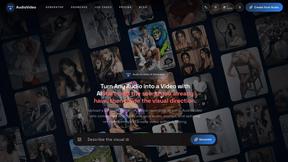
AudioVideo
Turn podcasts, narration, voice recordings, or music into visual content with an audio-aware AI video generator.

melodank
Melodank is an AI platform that turns personal stories into custom German songs. Features editable lyrics, dual audio previews, and a personalized gif
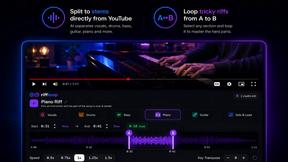
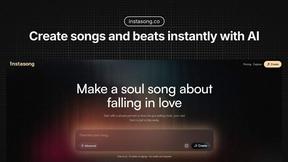
InstaSong - AI song and beat maker
Turn your words into royalty-free songs in seconds with InstaSong, the AI music maker that empowers anyone to create professional tracks effortlessly.
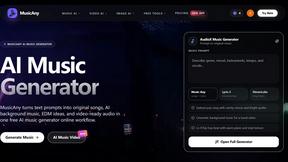
MusicAny AI Music Generator
MusicAny transforms your text prompts into original songs, background music, and video-ready audio, empowering you to create viral content in one.
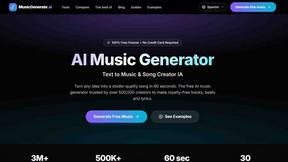
AI Music Generator
Turn your ideas into studio-quality, royalty-free songs in 60 seconds with the free AI music generator creators trust.
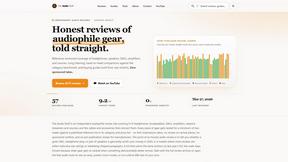
The Audio Stuff
The Audio Stuff delivers honest, in-depth reviews of audiophile gear, empowering you to build the ultimate hi-fi system with confidence.